
Vendor onboarding
Vendor onboarding in Cleo Pay is one guided flow where each vendor signs a W-9, has their name and TIN checked against IRS records, and adds a bank account. It is built for hospitality and event businesses that pay many vendors and contractors.
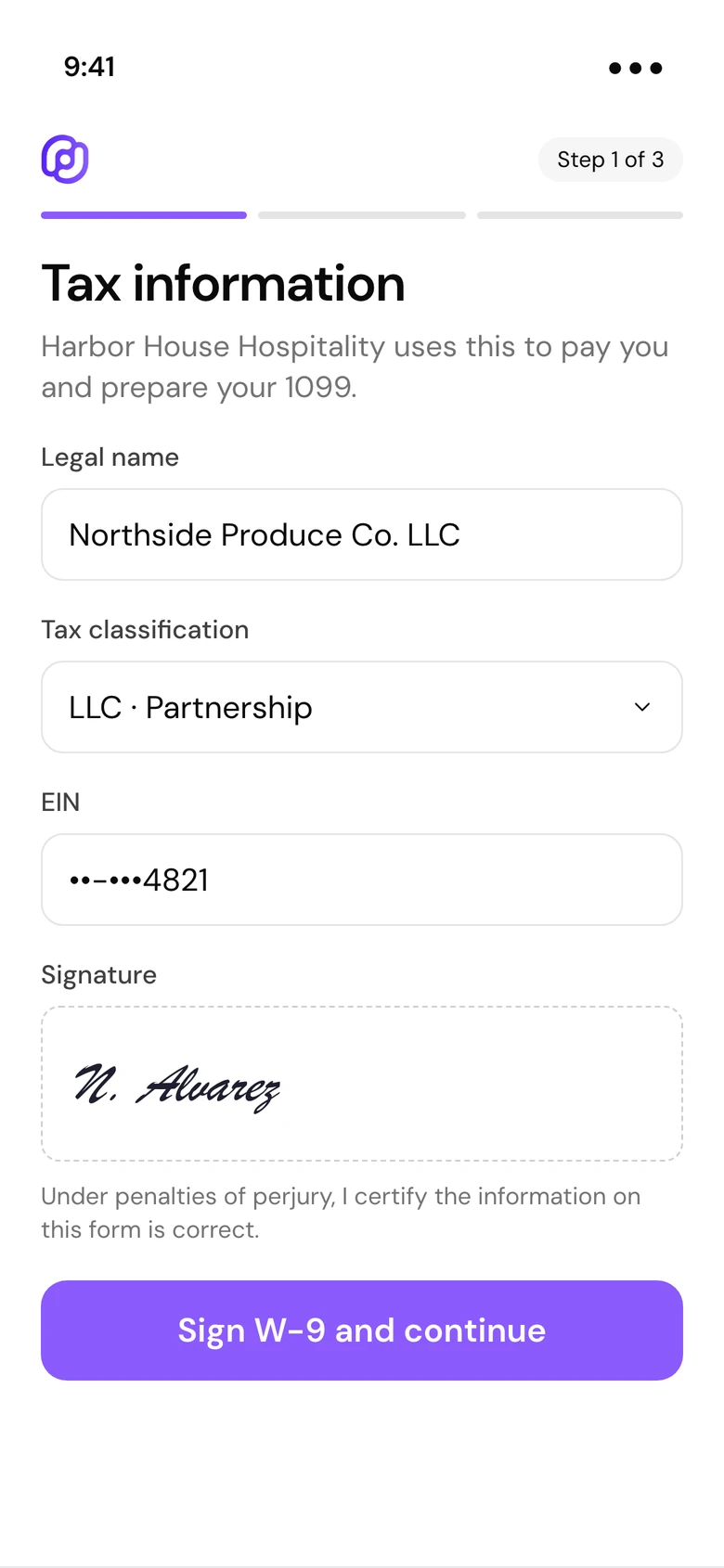
W-9 inside sign-up
Legal name, tax classification, TIN, address and a typed or drawn signature, collected before the first payment.
TIN checked against IRS records
Cleo Pay checks each vendor's legal name and TIN with the IRS TIN Matching service.
Bank by login or numbers
Vendors link a bank with their bank login or type their routing and account number.
How it works
From invite to ready to pay
Invite a vendor by email, or share your onboarding link or QR code.
The vendor fills in their W-9, or uploads an existing W-9 to fill the form, and signs it.
They verify their email and add a bank. You can pay them as soon as they finish.
Every vendor's W-9 is on file before you pay them.
Tax details arrive as structured data tied to the vendor's contact, so nobody re-keys a PDF. At year end, 1099-NEC forms are prepared from the payments you made in Cleo Pay.
See a demo- Individual or business, with the matching tax ID fields
- Upload an existing W-9 to fill in the form
- Download every vendor's W-9 at once from Contacts
- Vendors use a free vendor account, with no subscription
Why it matters
Vendors do the typing
Each vendor enters their own details, so your team stops copying W-9s into spreadsheets.
Send your own W-9 too
Email your business W-9 or attach it to an invoice when a customer asks for it.
Invite from anywhere
Email invites, the shareable link and the QR code all lead to the same flow.
Questions
What is vendor onboarding software?
It collects each vendor's tax and bank details before you pay them. In Cleo Pay, vendors fill in their own W-9 and bank details from an invite, a link or a QR code.
Does Cleo Pay check vendor TINs?
Yes. Cleo Pay checks the vendor's legal name and TIN against IRS records through the IRS TIN Matching service.
Do vendors need Plaid to connect their bank?
No. Vendors link their bank with their bank login or by typing their routing and account number.
Do vendors pay anything to join?
No. Vendors use a free vendor account to get paid.
Does Cleo Pay handle 1099s?
Yes. 1099-NEC forms are prepared from the payments you made in Cleo Pay, using the W-9s collected at sign-up.
Get every vendor's W-9 before the first payment.
One flow for tax details and bank details.
Get started