Accounts Payable Automation Software
Scan invoices with AI, route approvals automatically, pay vendors by ACH, and sync everything to QuickBooks. Live in a day, not a six-month ERP rollout.
- QuickBooks two-way sync
- No setup fees
- Live in a day


The product
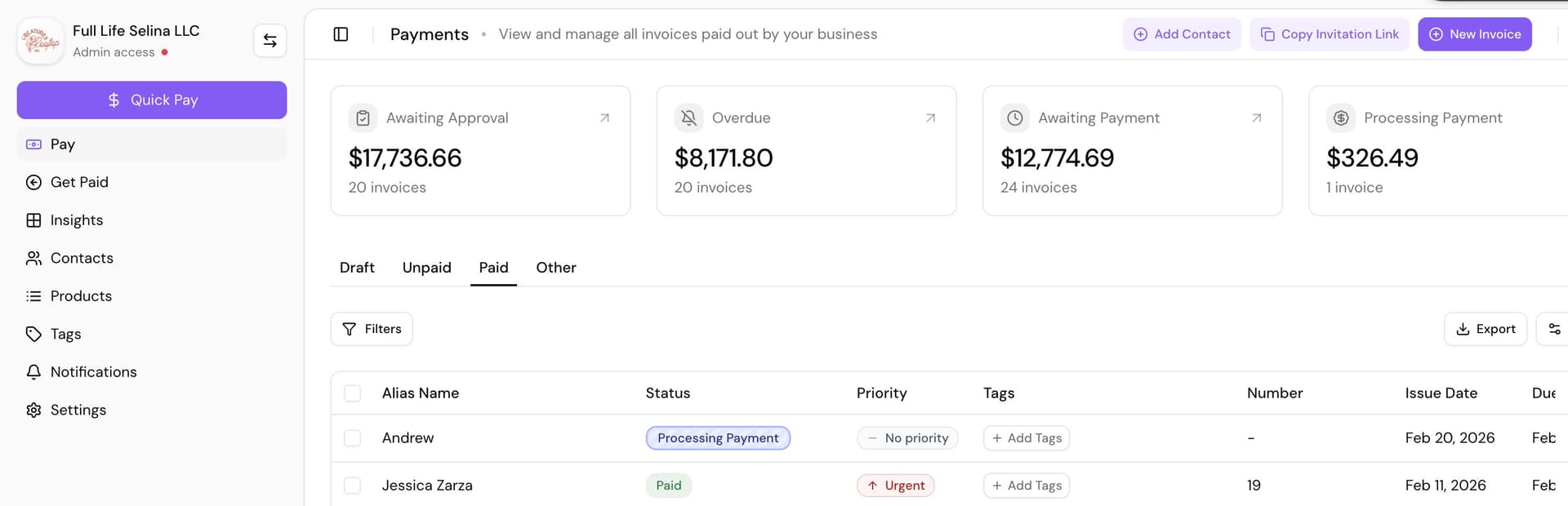
This is Cleo Pay.
The Pay dashboard: what is overdue, what is due this week, and every unpaid invoice with a Pay button next to it.
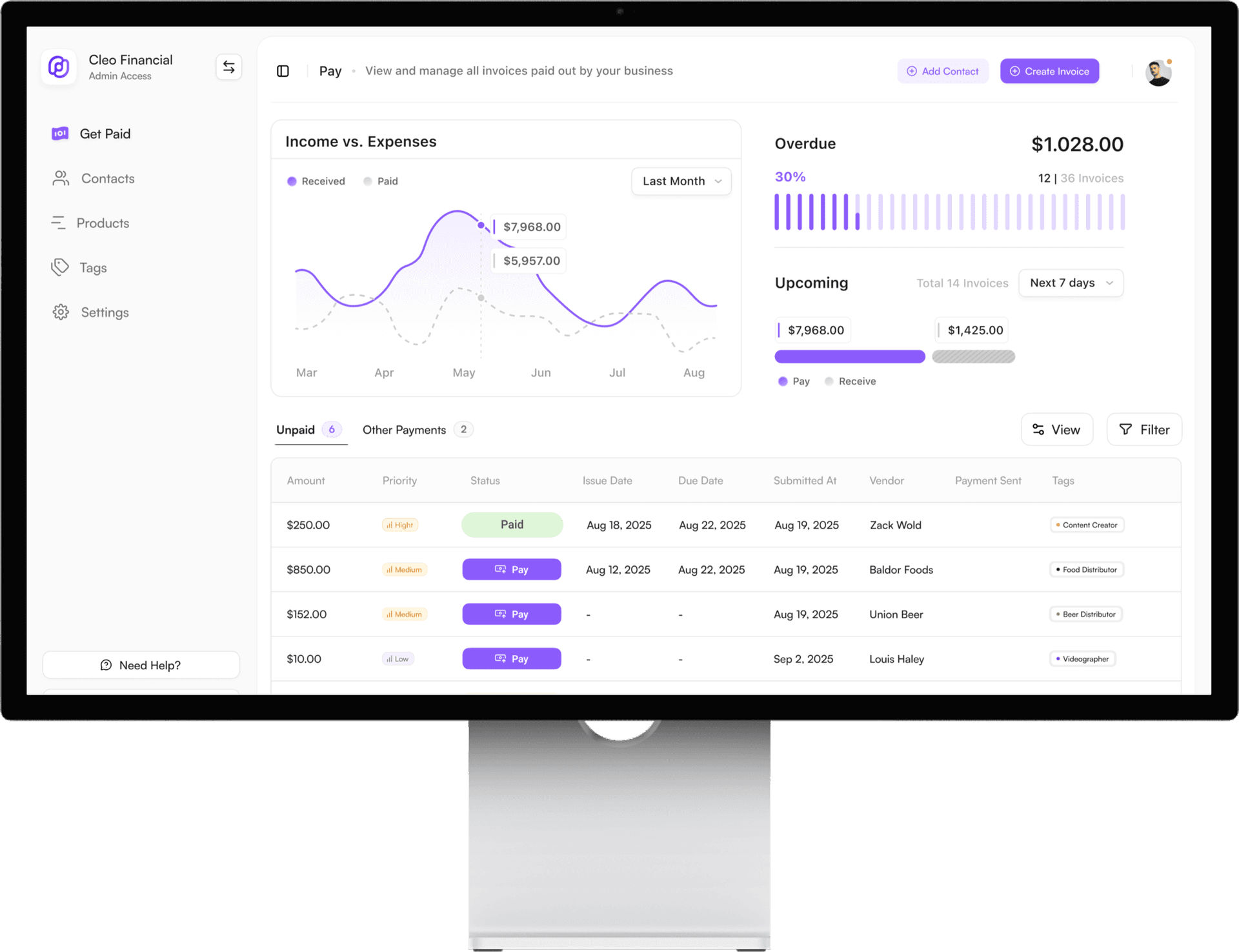
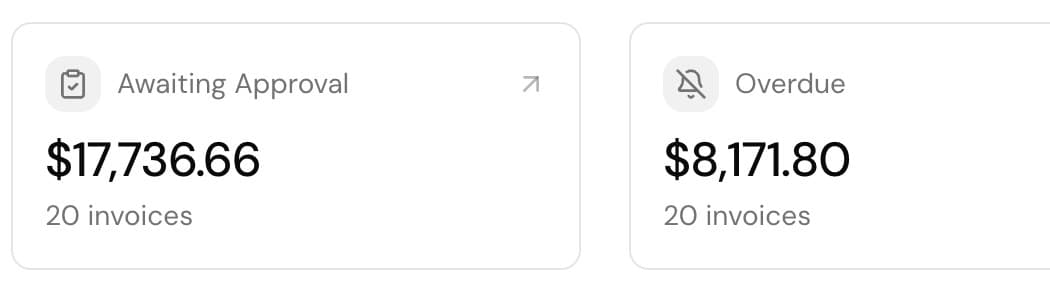
- Overdue and upcoming, first. The two numbers an operator checks daily sit at the top, not in a report.
- Every bill has a Pay button. Approve and pay from the same table. No separate payment run.
- Vendors are tagged. Food distributor, beer distributor, videographer. Filters and 1099s use the same tags.
Intake
Real automation starts with how invoices get in
No typing and no forwarding chains. Bills land in Cleo on their own, four ways.
Email catch-all
Your business gets its own invoice address. Anything a vendor emails there lands in Cleo as a bill, read and coded automatically. No forwarding, no downloads.
Vendor portal
Vendors submit invoices in their own portal and check payment status themselves, instead of calling you.
Drag and drop
Drop a PDF or a photo into the dashboard. Smart Capture reads the vendor, the amounts, and every line item.
Mobile capture
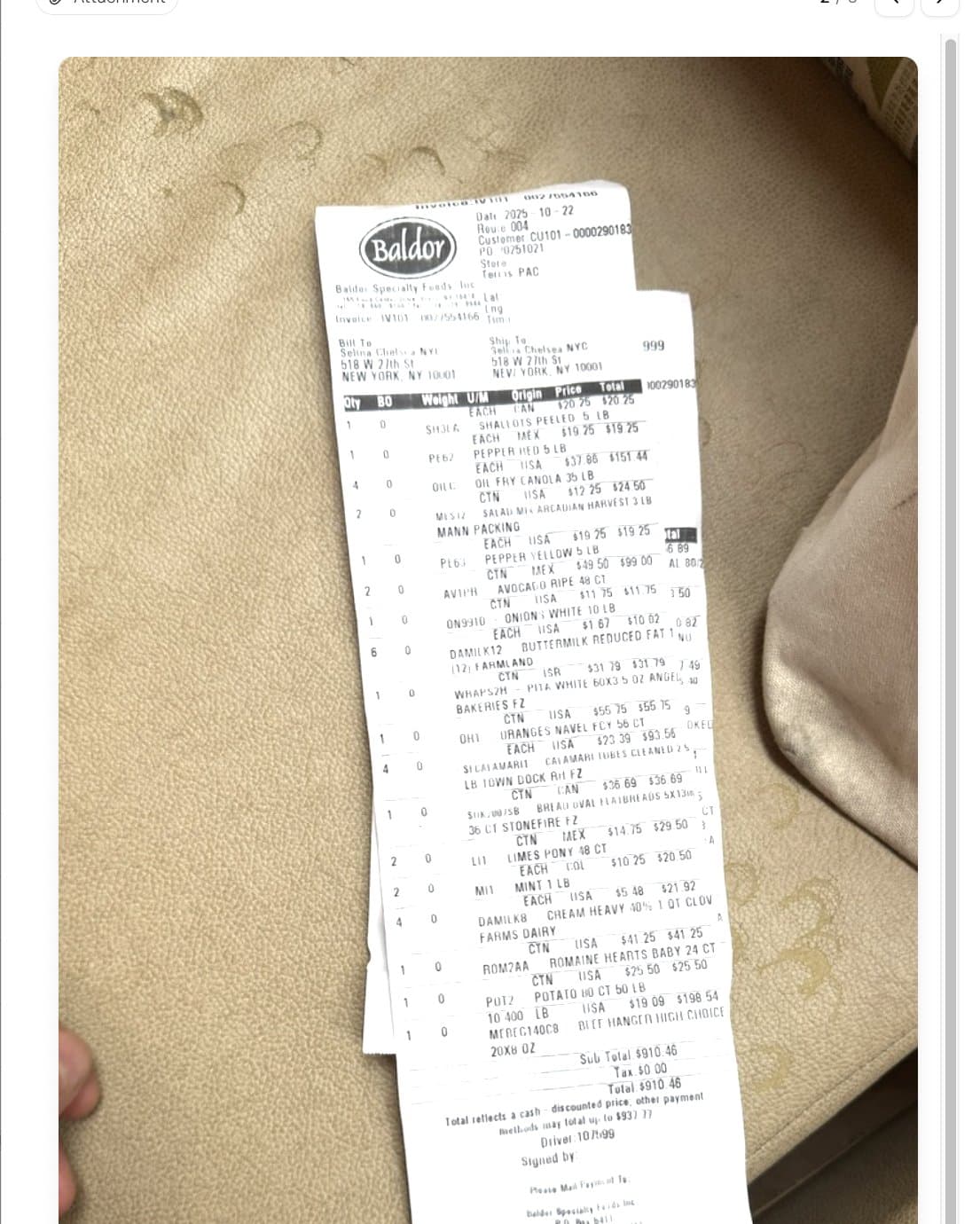
Photograph the bill where it lands: the bar, the kitchen, the loading dock. The scan shown on this page came off a phone.
How it works
Invoice in, payment out, books updated
The same five steps your team does by hand today, minus the typing.
- 1
Capture
Upload or email an invoice. AI extracts the vendor, amounts, dates, and every line item.
- 2
Categorize
Line items auto-map to your GL codes. Correct one and Cleo remembers it next time.
- 3
Approve
Invoices route through your approval chain by amount, GL category, or location. Approvers act in one tap.
- 4
Pay
Pay by standard ACH, or same-day on Growth and higher plans. Schedule ahead and track every payment to paid.
- 5
Sync
Bills and payments post to QuickBooks automatically, and bank feed transactions match in one click.
Features
Built for real AP work, not enterprise back offices
AI Invoice Scanning & Learning
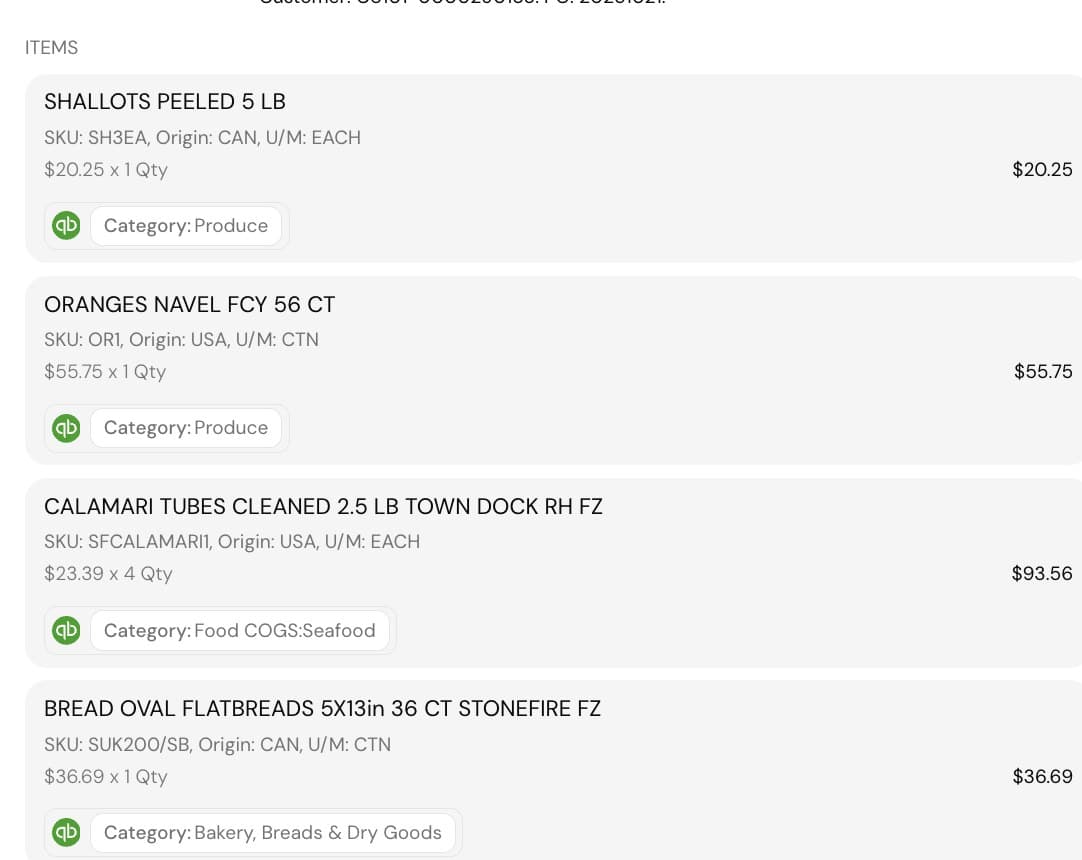
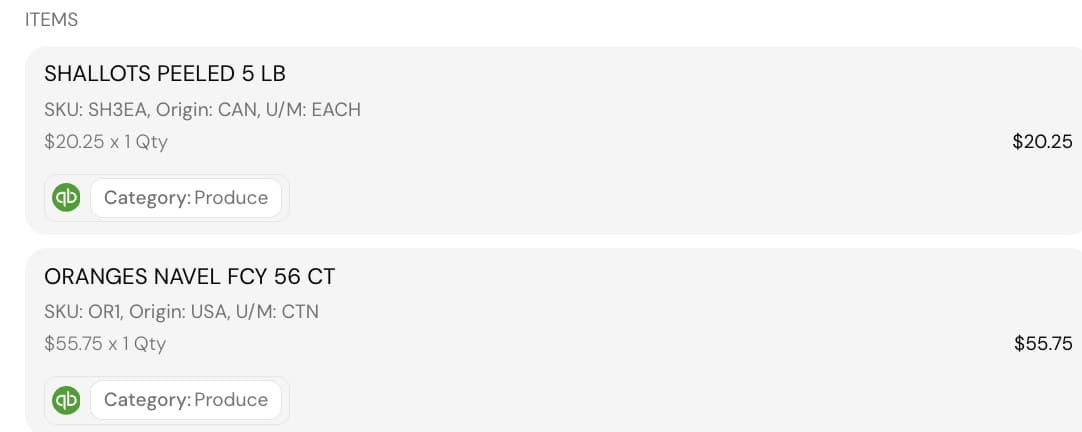
Extracts vendor name, amounts, dates, and every line item. Maps each line to your chart of accounts automatically. Learns from corrections so accuracy improves over time.
Shown: a photographed Baldor invoice, line items coded to QuickBooks categories on submit.
Exports your accountant will take
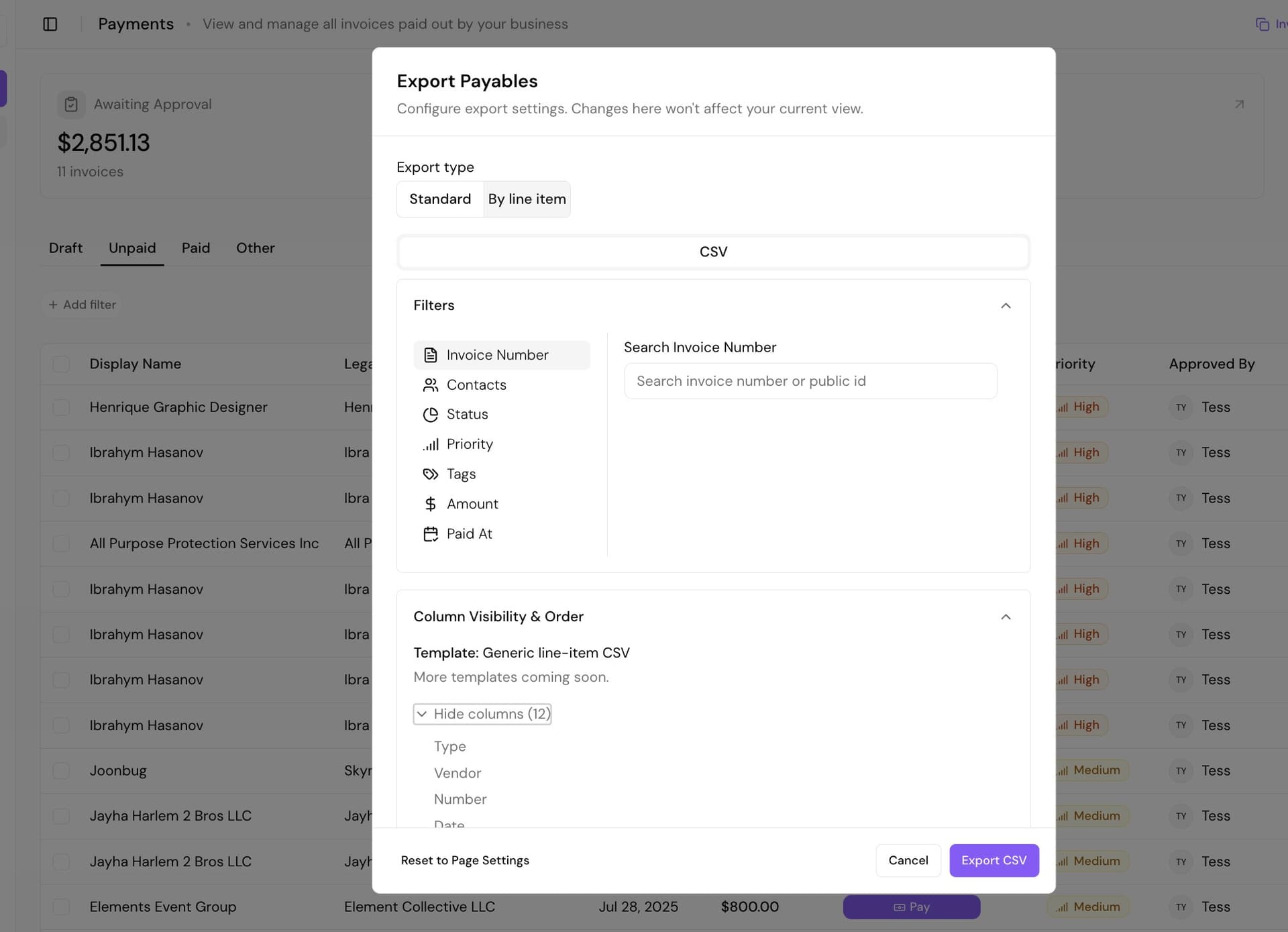
Standard or line-item CSVs. Filter by status, tags, amount, or paid date, pick the columns, and export. Month-end stops being a copy-paste job.
Configurable Approval Workflows
Audit TrailSet chains by dollar amount, GL category, or location. Multi-level approvals with full audit log for every action.
See it in the product
Payment Scheduling & Speed Options
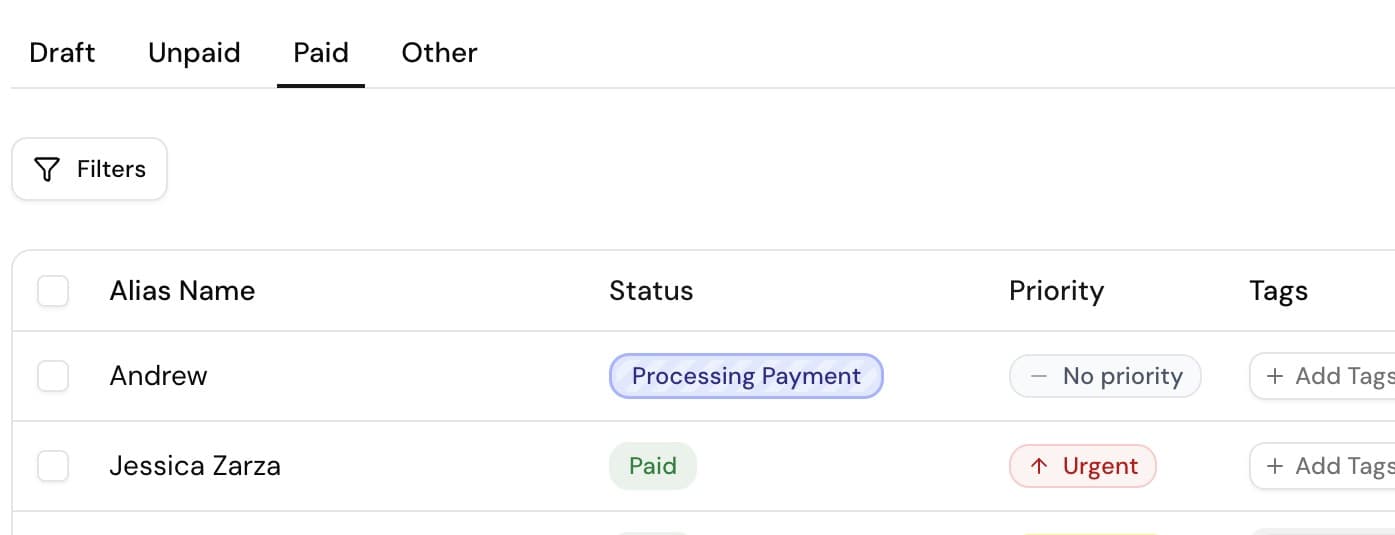
Cash FlowSchedule future payments. Standard ACH with no extra fee, or same-day on Growth and higher plans. See each payment's status in your dashboard.
See it in the product
QuickBooks Two-Way Sync
Auto-syncAuto-import vendors and chart of accounts. Create bills on approval, record bill payments on payment, and match bank feed with one click.
See it in the product
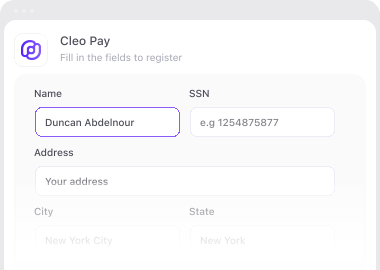
Vendor Onboarding & Shareable Links
Self-serveBranded invite links via text or email. Vendors enter tax ID, add their bank by signing in to it or by entering their routing and account numbers, and submit invoices themselves.
See it in the product
Team Roles & Permissions
Access ControlAdmin, Payer, Approver roles. Add team members by email. Layer rules through approval workflows for granular control.
Cleo Agent
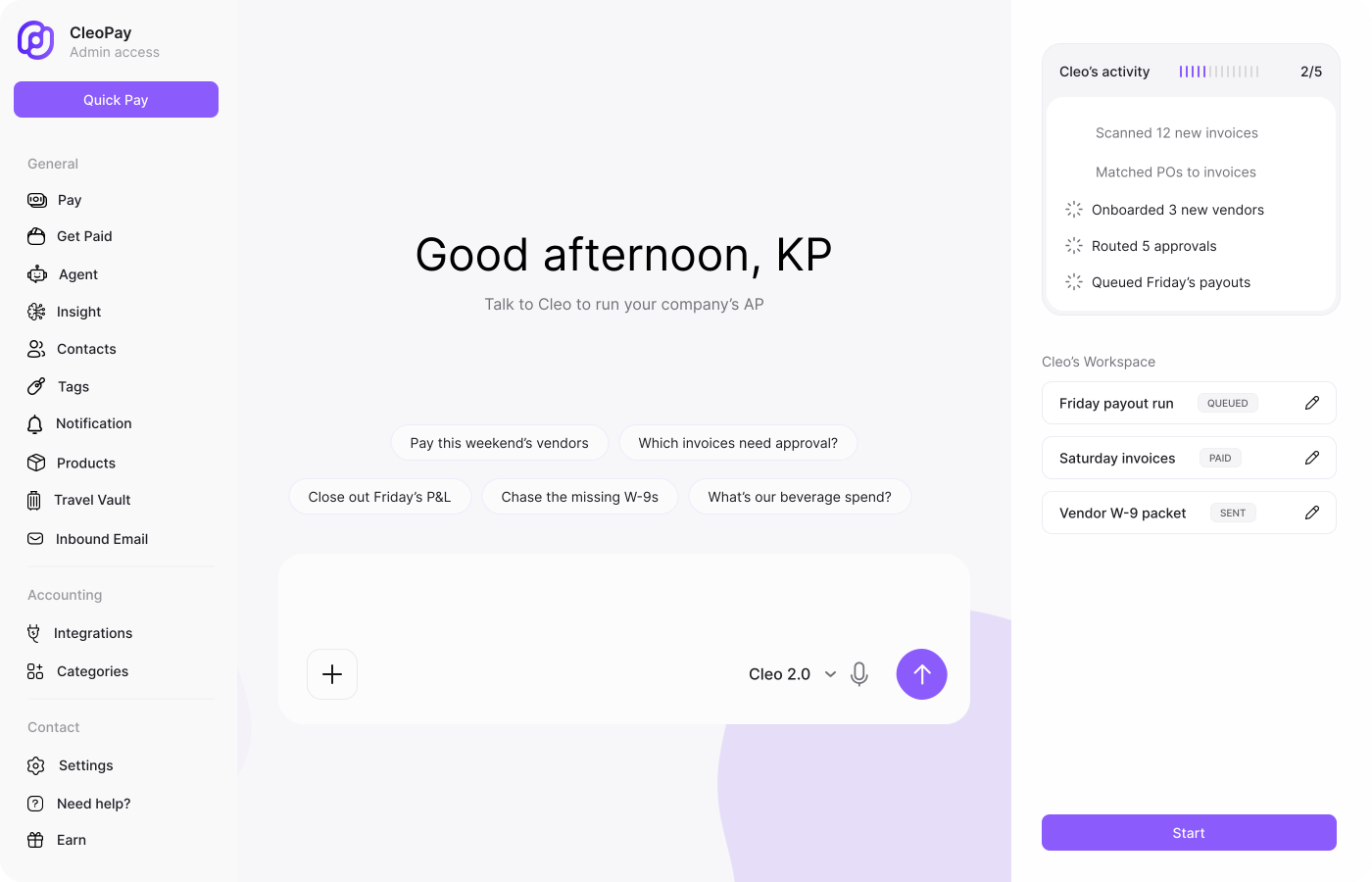
Talk to Cleo to run your AP
Cleo scans invoices, matches POs, onboards vendors, routes approvals, and queues payout runs. You watch it work and approve.
See it run on your own invoices
A 30-minute walkthrough of invoice scanning, approval routing, and QuickBooks sync, using the kind of invoices your team actually gets.
Pricing
Published pricing. No quote required.
Vendors and contractors never pay to get paid. You pay for the AP side only.
billed yearly, or $99 month to month
For independent operators paying a handful of vendors
- 20 payments included, then $3 each
- 2 user seats
- Bill pay with AI bill scanning
- Charge cards for your team
- Approval workflows
- W-9 collection and 1099s
- QuickBooks sync
billed yearly, or $299 month to month
For venues and teams that pay vendors every week
- 100 payments included, then $2 each
- 5 user seats
- Everything in Starter, plus
- AI Finance Manager
- Multi-step approval routing
- Same-day payments
- Priority support
- Guided migration from your current tool
billed yearly, or $499 month to month
For serious operators running payments at scale
- 300 payments included, then $1 each
- 15 user seats
- Everything in Growth, plus
- AI budgeting
- API and MCP access
- Dedicated success manager
Processing more than 500 invoices a month? Tell us your volume and we will size it with you. Full plan comparison on the pricing page.
Most AP tools are priced and built for enterprise back offices
Cleo Pay is built for teams that need AP working this quarter. No ERP dependency, no six-month implementation, no annual contract to find out what it costs.
See How We Compare →See how teams use it in their industry: restaurants, hospitality, venues, event productions, travel agencies, and creator agencies.
FAQ
Common questions about Accounts Payable
Ready to put AP on autopilot?
Send us your invoice volume and we will come back with pricing and a walkthrough of how Cleo Pay handles invoice scanning, approvals, vendor payments, and QuickBooks sync.