
Cleo Pay
Changelog
New features, improvements, and fixes to the platform. Updated as we ship.
Cleo Pay hits $10M in payment processing
Cleo Pay has crossed $10M in processed payment volume, moving more than 17,000 individual payments across a network of over 60 customer organizations and 7,000+ vendors. MerchantsEye covered the milestone and how AI-driven automation is changing back-office operations for live event and entertainment businesses.
- $10M+ in processed transaction volume
- 17,000+ individual payments handled
- 60+ customer organizations served
- 7,000+ vendors in the payment network
Categories that fill themselves in
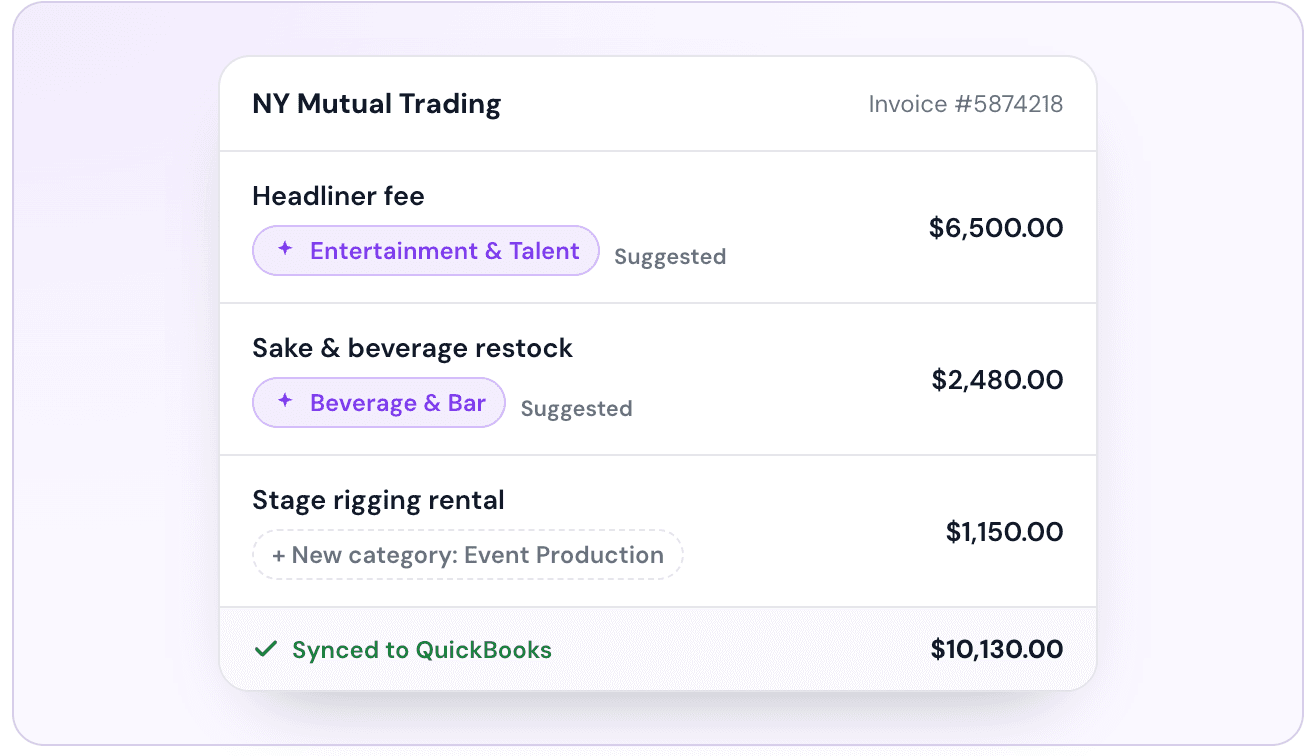
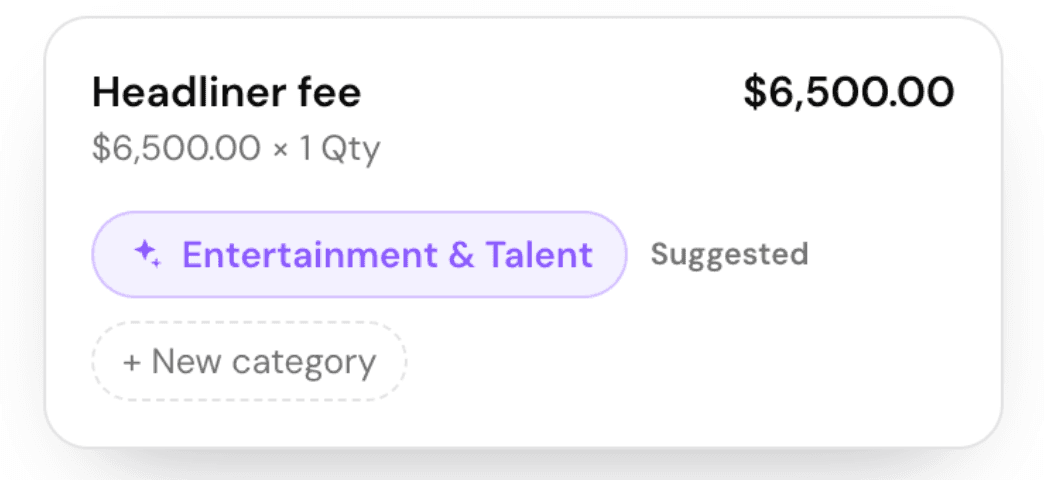
Coding invoices line by line is where most restaurants' books quietly go wrong. Cleo now does the first pass for you, so every line lands in the right account before a dollar moves. Cleo reads each invoice line, proposes the right category, and creates new ones the moment you accept them, all without leaving the invoice.
- Smart suggestions on every line item, shown with a clear source icon instead of a made-up confidence score
- Create a new category on the fly and Cleo adds it the moment you accept, without leaving the invoice
- Set a vendor's usual category once and Cleo applies it automatically next time
- Bills can't be approved or paid until every line is categorized, so nothing slips through uncoded
- Categories sync straight to your QuickBooks chart of accounts, so your P&L stays accurate without double entry
A closer look
Custom Roles and Permissions
You can now create fully custom roles for your organization with granular, per-action permissions. Beyond the existing Approver and Payer roles, you can define roles like View Only for team members who need access to reports and data without the ability to approve or pay invoices. Assign any custom role to individual team members directly from your settings.
- Create unlimited custom roles with any name
- Granular toggle for every action in the platform (view, approve, pay, report)
- Assign roles to specific team members
- Ideal for clerical staff, accountants, and read-only stakeholders
Product walkthrough
Introducing Cleo Travel Vault
Travel Vault is a centralized hub for travel agents to securely store and manage all client travel data in one place. Instead of scattered spreadsheets or unsecured email threads, your agency gets a dedicated vault per client: frequent flyer numbers, passport details, loyalty IDs, payment cards, and uploaded documents, all organized under named traveler profiles. Clients can submit their own information via a secure link, so onboarding a new traveler takes minutes instead of days.
- Centralized client profiles with multiple named travelers per account
- Secure storage for frequent flyer numbers, loyalty IDs, and passport information
- Credit card vault with per-traveler card assignment
- Document uploads for passports, visas, and government IDs
- Shareable secure link so clients self-submit their travel data
- Batch information requests to collect data from multiple clients at once
Product walkthrough