
How it works
How accounts payable automation works in Cleo Pay
Cleo Pay is accounts payable and receivables software for restaurants, bars, hotels, venues and event teams that onboards your vendors, reads and routes their bills for approval, pays them by ACH and syncs the records to QuickBooks Online.
- Step 1Set up your businessVerify the business, link your bank and invite your team.
- Step 2Onboard your vendorsOne link collects each vendor's W-9 and bank details.
- Step 3Capture and approve billsCleo reads each bill and routes it by your approval rules.
- Step 4Pay and syncPay by standard ACH or same-day and sync to QuickBooks Online.
Step 1
Set up your business
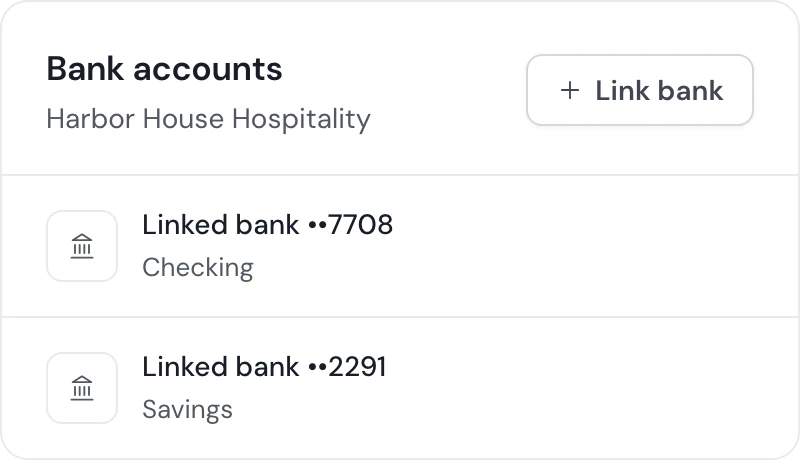
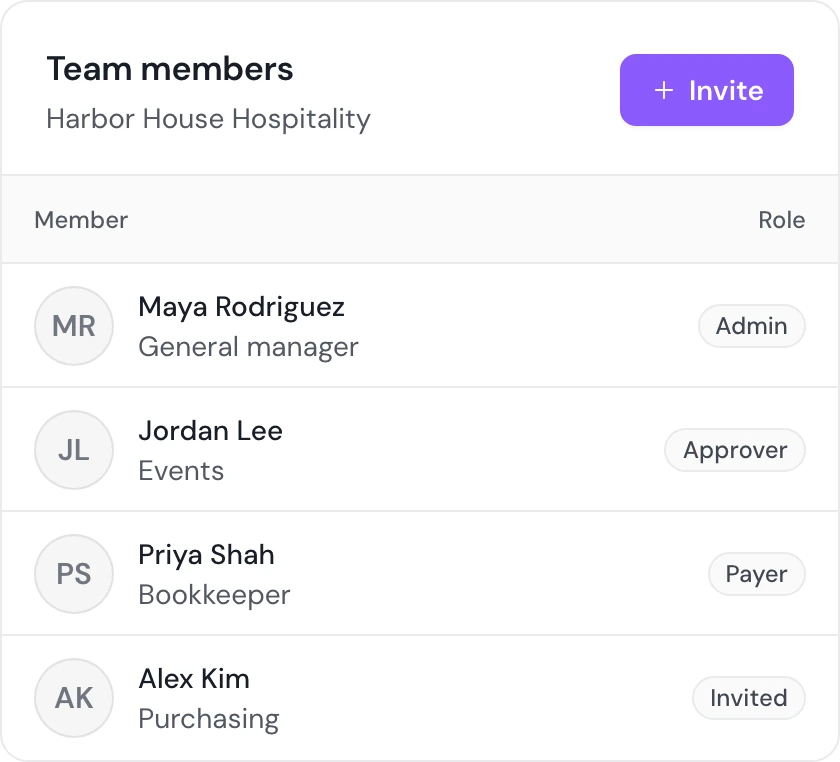
Sign up, verify your business and link the bank account you pay from. Eligible businesses can also hold a Cleo Pay balance and pay vendors from it. Invite your team and give each person a role, such as admin, approver or payer, that sets what they can do.
Step 2
Onboard your vendors
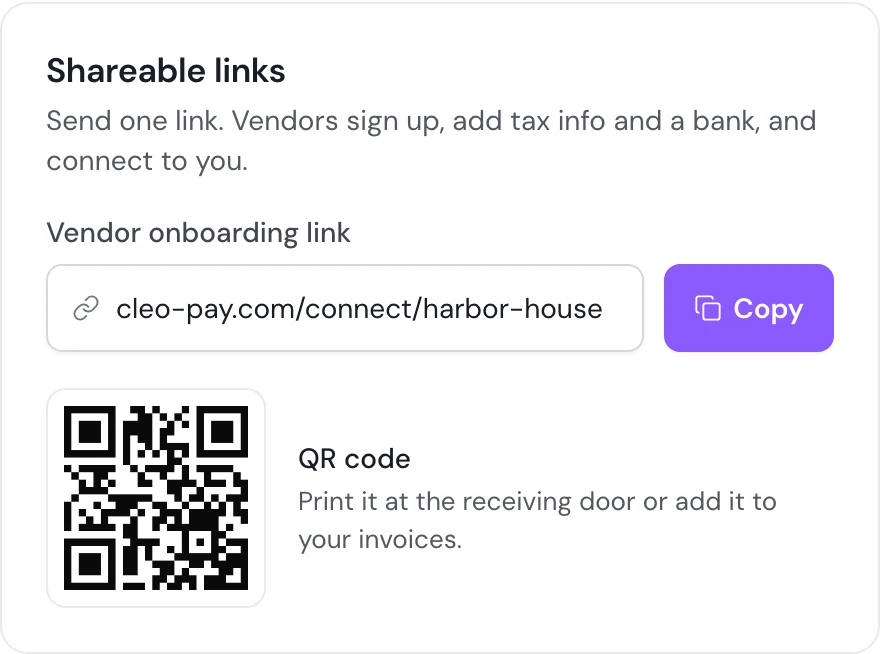
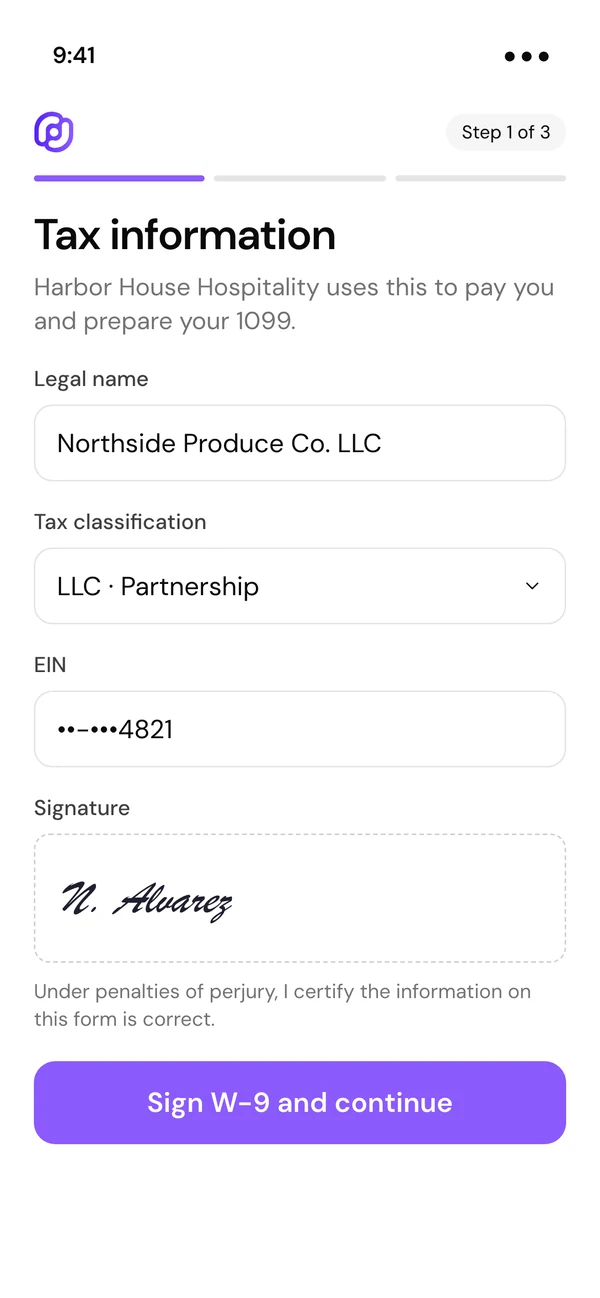
Share one onboarding link, a QR code or an email invite. Each vendor creates a free vendor account, fills in their W-9 and adds their bank by signing in to it or typing the routing and account number. Cleo checks the vendor's name and TIN against IRS records.
Step 3
Capture and approve bills
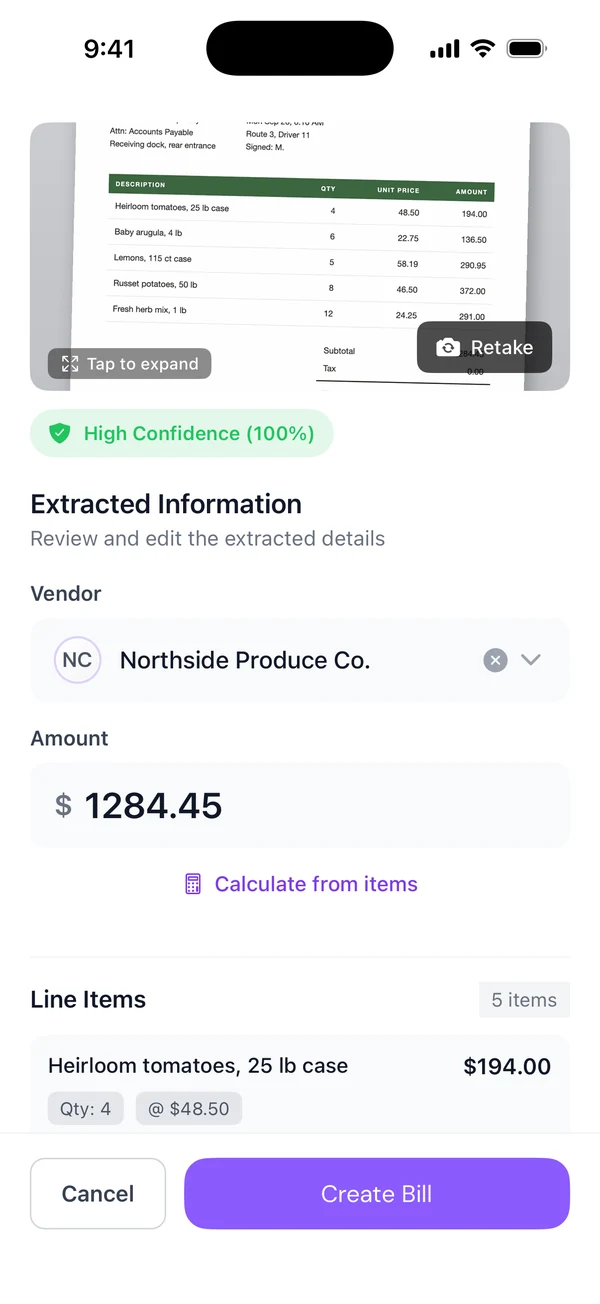
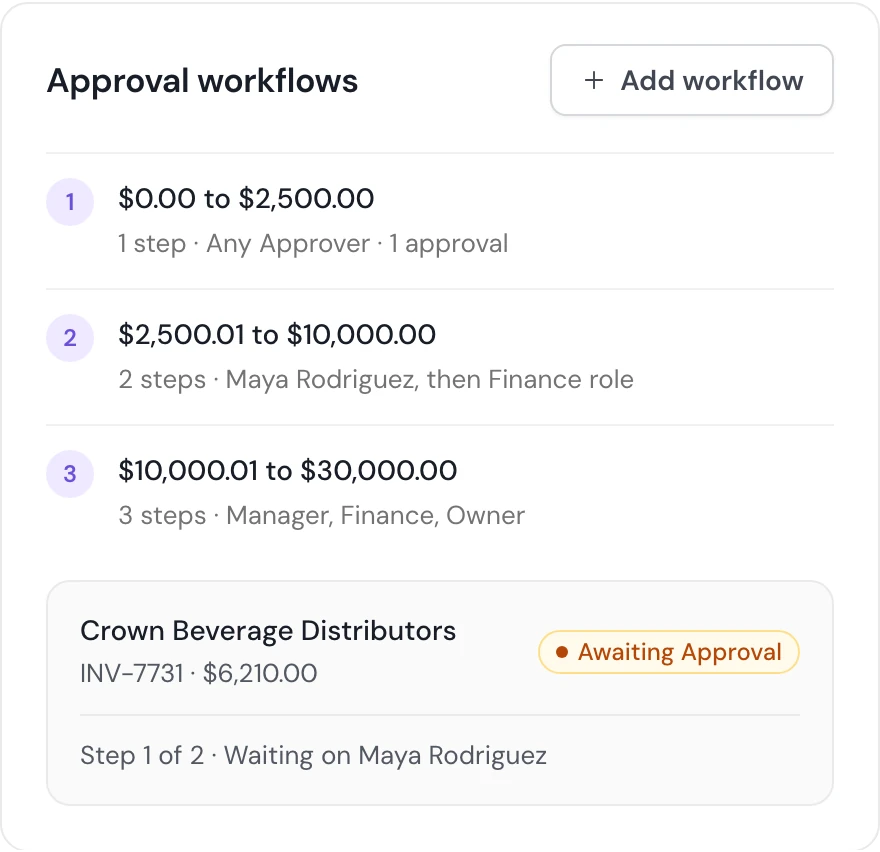
Upload a PDF or photo of a bill, or scan it with the Cleo Pay iPhone app. Cleo reads the vendor, dates and line items and suggests categories for you to confirm. Approval rules route each bill by amount to a role or a teammate, and the bill waits until its rules are met.
Step 4
Pay and sync
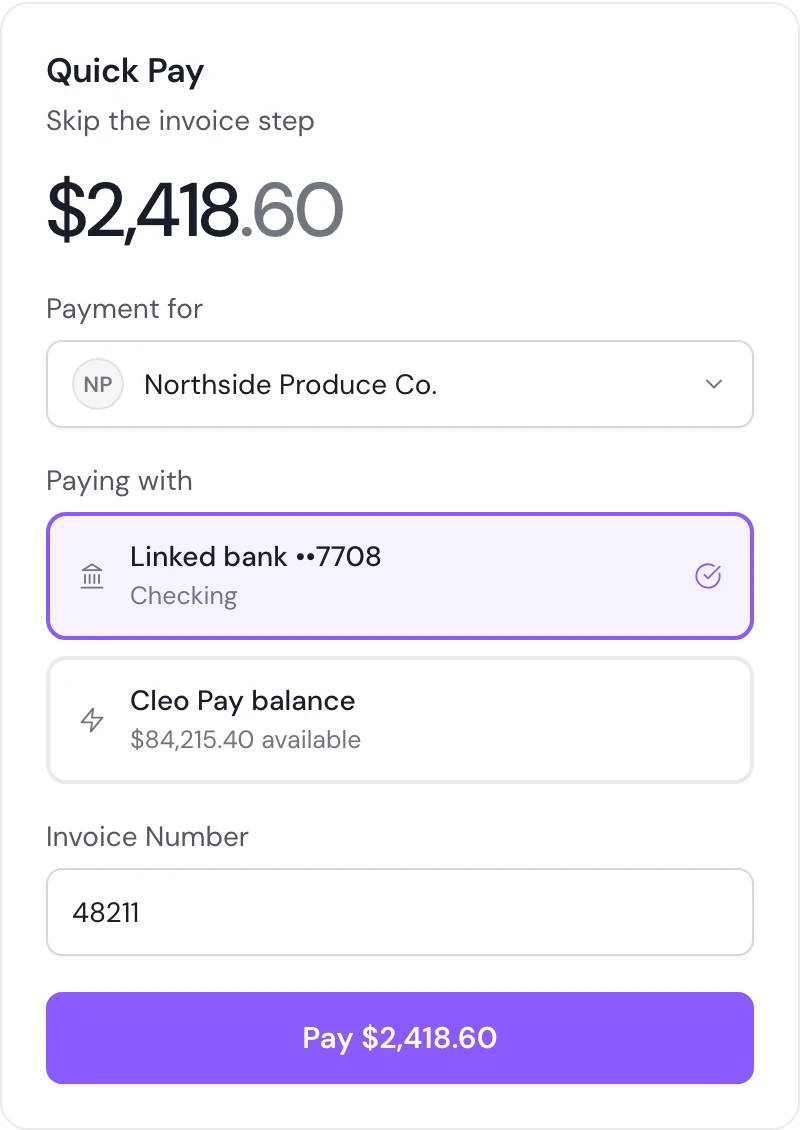
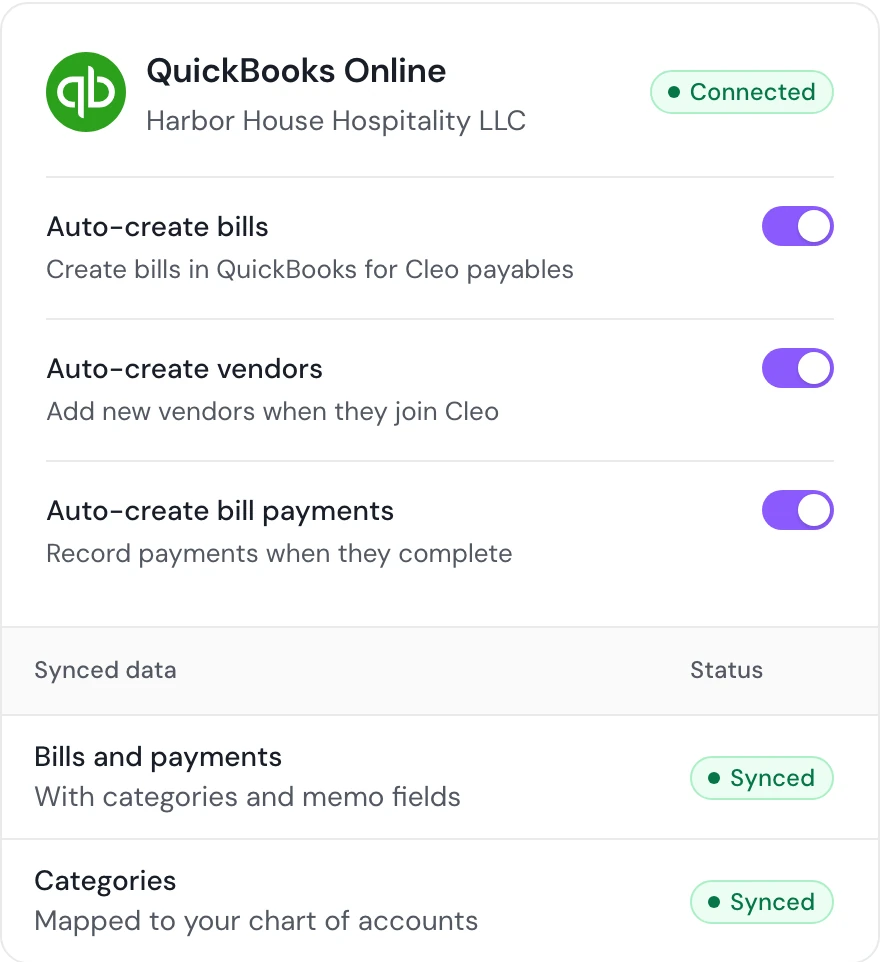
Pay one bill or a batch from your linked bank or your Cleo Pay balance, by standard ACH at no extra fee or by same-day payment on Growth and higher plans. Bills, vendors, payments and categories sync to QuickBooks Online. At year end, 1099-NEC forms are prepared from the payments you made.
Coming soonMailed paper checks, for vendors who do not take ACH.
Who does what
Roles decide what each teammate can do. Vendors work in their own free vendor account.
- Owners and admins
- Verify the business, link the bank, invite the team and set the approval rules.
- Approvers
- Approve the bills that reach them, from the dashboard or the iPhone app.
- Bookkeepers
- Confirm categories, keep QuickBooks Online in sync and download vendor W-9s.
- Vendors
- Create a free vendor account, fill in a W-9, add a bank and get paid by ACH.
Questions about how Cleo Pay works
How does accounts payable automation work?
It moves a bill from arrival to payment without anyone retyping it. In Cleo Pay you upload or scan the bill, Cleo reads the vendor, dates and line items, your approval rules route it, and you pay by ACH with the record synced to QuickBooks Online.
Do my vendors need a Cleo Pay account?
Yes, a free vendor account with no subscription. They create it from your onboarding link, fill in their W-9 and add their bank by signing in to it or typing the routing and account number.
How do approvals work?
You set approval rules by amount range. Each range has one or more steps assigned to a role or a specific teammate, and a bill cannot be paid until its rules are met.
How do vendors get paid?
By ACH, to the bank they added during onboarding. You pay from your linked bank or your Cleo Pay balance, by standard ACH at no extra fee or by same-day payment on Growth and higher plans.
Does Cleo Pay work with QuickBooks?
Yes, with QuickBooks Online. Bills, vendors, bill payments and categories sync from Cleo Pay to QuickBooks Online, which is the accounting software Cleo Pay connects to today.
Does Cleo Pay collect W-9s and prepare 1099s?
Yes. Vendors fill in their W-9 during onboarding, and their name and TIN are checked against IRS records. At year end, 1099-NEC forms are prepared from the payments you made through Cleo Pay.
Get started with Cleo Pay
Plans start at $79 a month billed yearly, or $99 billed monthly. Book a demo if you would like a walkthrough first.
The Cleo Pay balance is available to eligible businesses. Cleo Pay partners with Stripe Payments Company for money transmission services and account services with funds held at Fifth Third Bank, N.A.