Pay Me links
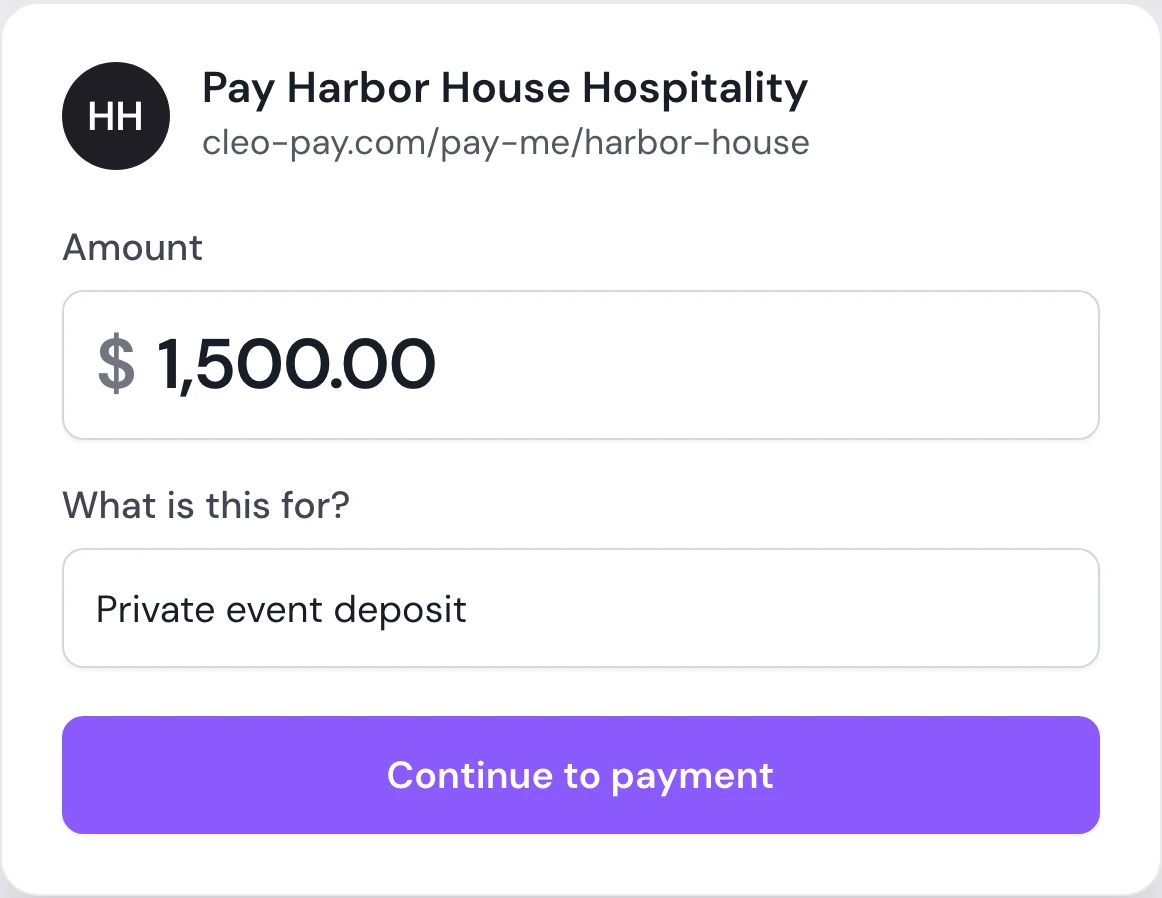
A Pay Me link is a permanent payment link for your business. Anyone who has it enters an amount, adds what the payment is for, and pays you by bank, with no invoice and no Cleo Pay account.
One permanent link
Share the same link on your website, in emails or in a text.
Any amount
The payer enters an amount, itemizes it, or attaches an invoice.
Regenerate anytime
Replace the link with a new one when you need to.
How it works
How a Pay Me link works
Copy your Pay Me link from Cleo Pay.
Share it anywhere: email, text, your website or social profiles.
The payer enters an amount and what it is for, then pays from their bank.
For payments that never had an invoice.
Deposits, private event bookings, rentals and one-off services often start with a text, not an invoice. Send your Pay Me link and the payment comes in with a note on what it was for.
Book a walkthrough- Event and booking deposits
- Rentals and one-off services
- Payments from new customers
- Anything you would otherwise chase by text
Why it matters
No invoice to create
Collect a payment without building an invoice first.
Paid by bank
Payers link their bank and pay by ACH.
No account needed
Payers do not need a Cleo Pay account.
Questions
What is a Pay Me link?
A permanent link to your business where anyone can pay you any amount by bank, with no invoice needed.
How is a Pay Me link different from an invoice payment link?
An invoice link pays one specific invoice. A Pay Me link stays the same and takes any amount, so you can reuse it.
Does the payer need a Cleo Pay account?
No. They enter the amount, link their bank and pay as a guest.
Can people pay a Pay Me link by card?
No. Pay Me payments are made by bank (ACH).
Can I change my Pay Me link?
Yes. You can regenerate it from your invoice settings in Cleo Pay.
One link for every payment without an invoice.
Share it once and let customers pay by bank.
Get started