
AI bill capture
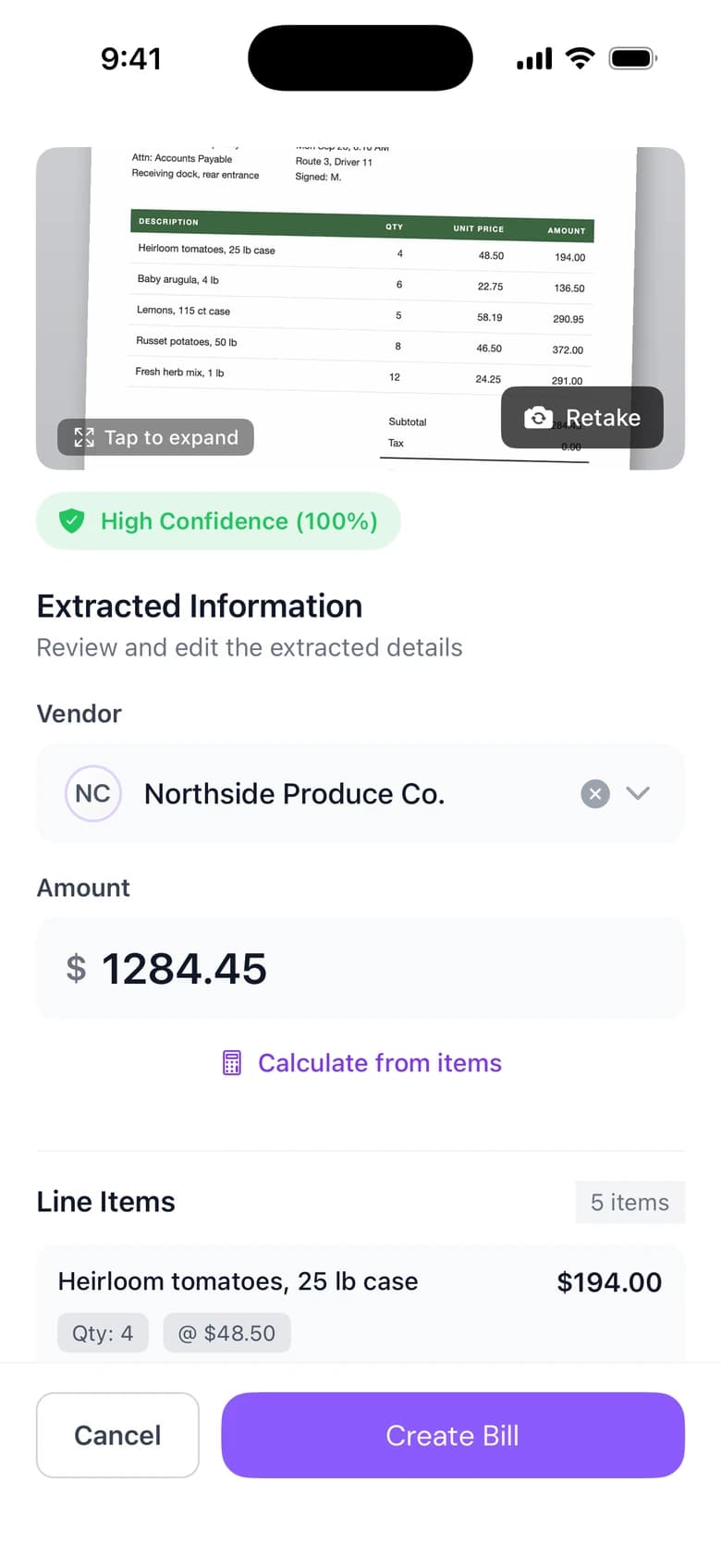
AI bill capture in Cleo Pay turns a vendor invoice into a draft bill. Upload a PDF or photo on the web, or snap it with the iPhone app, and Cleo reads the vendor, dates, line items and total. It is built for restaurants, bars, venues and event teams with stacks of paper invoices.
PDF or photo
Upload an invoice on the web as a PDF or a photo. Cleo reads it and fills in the bill.
Snap it on iPhone
Scan a paper invoice at the receiving dock with the Cleo Pay iPhone app.
Categories suggested
Cleo suggests a category for the bill so it is coded before it goes for approval.
How it works
From invoice to bill
Upload a PDF or photo, or scan the invoice with the iPhone app.
Cleo reads the vendor, invoice number, dates, line items and total, and matches the vendor to your contacts.
Check the fields, change anything you need, and submit the bill for approval.
Every field stays editable.
Cleo fills in the bill and you check it. An assistant inside the bill can make changes for you, and you can have Cleo re-read a draft from its files.
See a demo- Vendor, invoice number, issue and due dates, and total
- Each line item with its description and amount
- Suggested categories for your chart of accounts
- A warning when a bill looks like one already entered
Why it matters
No re-keying
Line items and totals are read from the invoice, so nobody types them in.
Capture where invoices arrive
Scan deliveries with the iPhone app as they come in.
Ready for QuickBooks
Bills keep their categories and sync to QuickBooks Online when you connect it.
Questions
How does AI invoice scanning work in Cleo Pay?
Upload a PDF or photo, or scan with the iPhone app. Cleo reads the vendor, dates, line items and total, fills in a draft bill and suggests categories for you to check.
Can I edit what Cleo reads from the invoice?
Yes. Every field is editable before you submit, and you can have Cleo re-read a draft from its files.
Does it work with paper invoices?
Yes. Take a photo of the paper invoice or scan it with the iPhone app.
Does Cleo Pay catch duplicate invoices?
Yes. Cleo warns you when a bill looks like one already entered and asks you to confirm before paying it.
Do scanned bills sync to QuickBooks?
Yes. With QuickBooks Online connected and bill sync turned on, bills sync with their categories.