
Run Accounts Payable on Top of QuickBooks Online
Approval workflow, a vendor portal, ACH payments, and automatic bill payment sync. QuickBooks stays your system of record, and the manual work in front of it goes away.
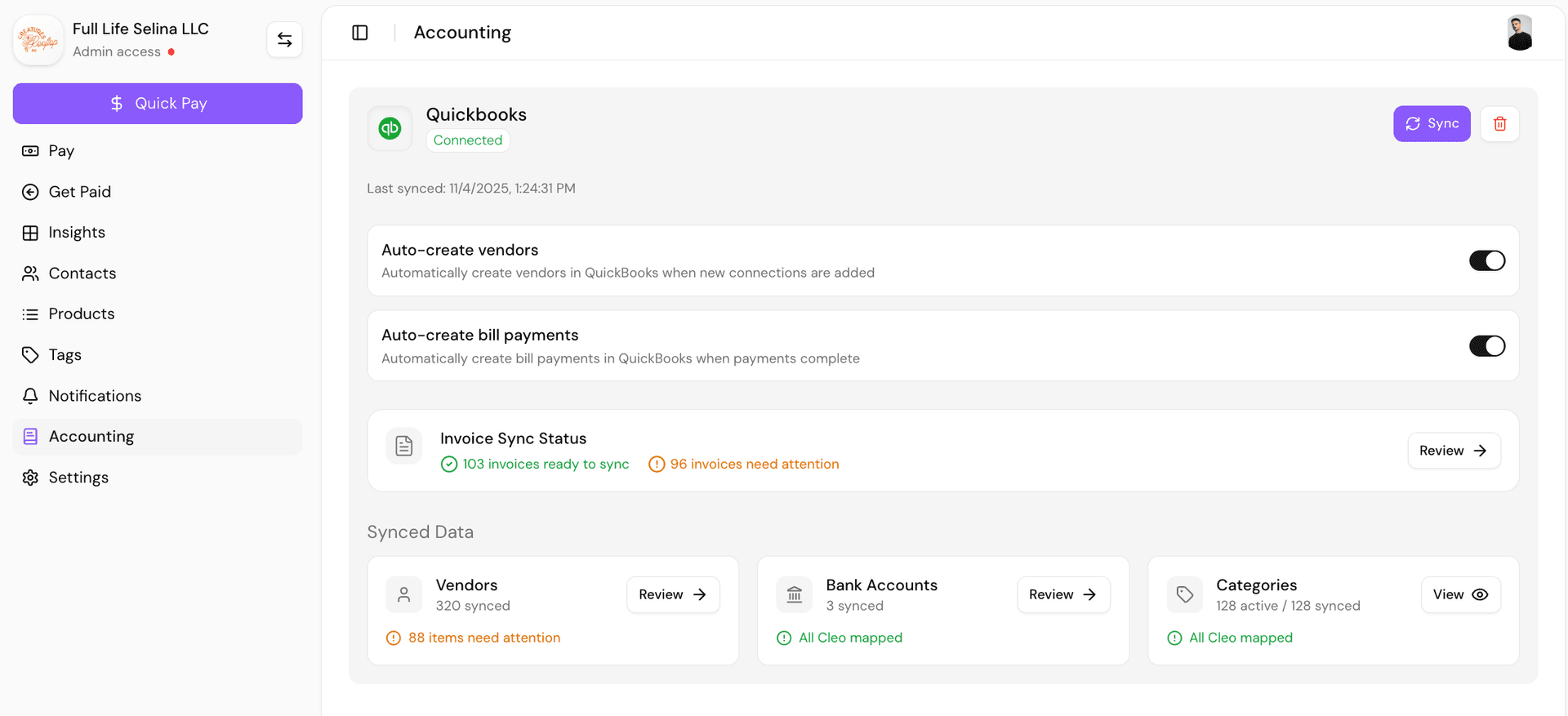
Two-way sync with QuickBooks Online. Vendors maintain their own details.
The problem
QuickBooks records payables. It does not run them.
That distinction is easy to miss until volume grows. An accounting file is very good at holding what you owe and what you paid. It was not built to chase an invoice out of somebody's inbox, hold a payment until the right person signs off, move money, and prove afterward that the two halves match. Most teams fill that gap with people, and the cost shows up as duplicate payments, a close that takes a week, and nobody able to answer whether a vendor was paid.
A queue instead of an inbox
Vendors submit invoices to a portal they maintain themselves. There is one place to look, and the person who owes you an invoice is the person responsible for sending it.
An approval trail that exists
Every bill routes for approval before payment, with a record of who approved what and when. This is the control most QuickBooks-only setups are missing, and the reason duplicate invoices get caught.
Payment and coding in one action
The payment carries its expense account with it, so you are not paying in one system and categorizing in another. Standard ACH is free, Fast ACH is there when a vendor cannot wait.
Close that starts already reconciled
Each payment posts back to QuickBooks Online as a bill payment linked to the original bill. Reconciliation stops being a month-end project.
Vendors who maintain themselves
Tax details, bank accounts, and contact information are owned by the vendor. When their account number changes, they change it, and you find out because the record updated rather than because a payment failed.
Multi-location without multi-entry
Switch between businesses under one login, with each mapped to its own QuickBooks class or location code. Shared vendors are onboarded once.
Your books do not move
QuickBooks Online stays the system of record and your accountant keeps working where they always have. What changes is that the work in front of the books stops being manual.
Questions
Accounts payable with QuickBooks
Can QuickBooks Online handle accounts payable on its own?
How many bills does this make sense for?
Does it work across multiple locations or entities?
What does this do for month-end close?
Who can approve payments?
How does vendor onboarding work?
Will this change our chart of accounts?
What about 1099s for contractors we pay through AP?
See your payables running on QuickBooks
We will connect a sandbox to QuickBooks Online and walk a bill from vendor submission through approval, payment, and reconciliation.