

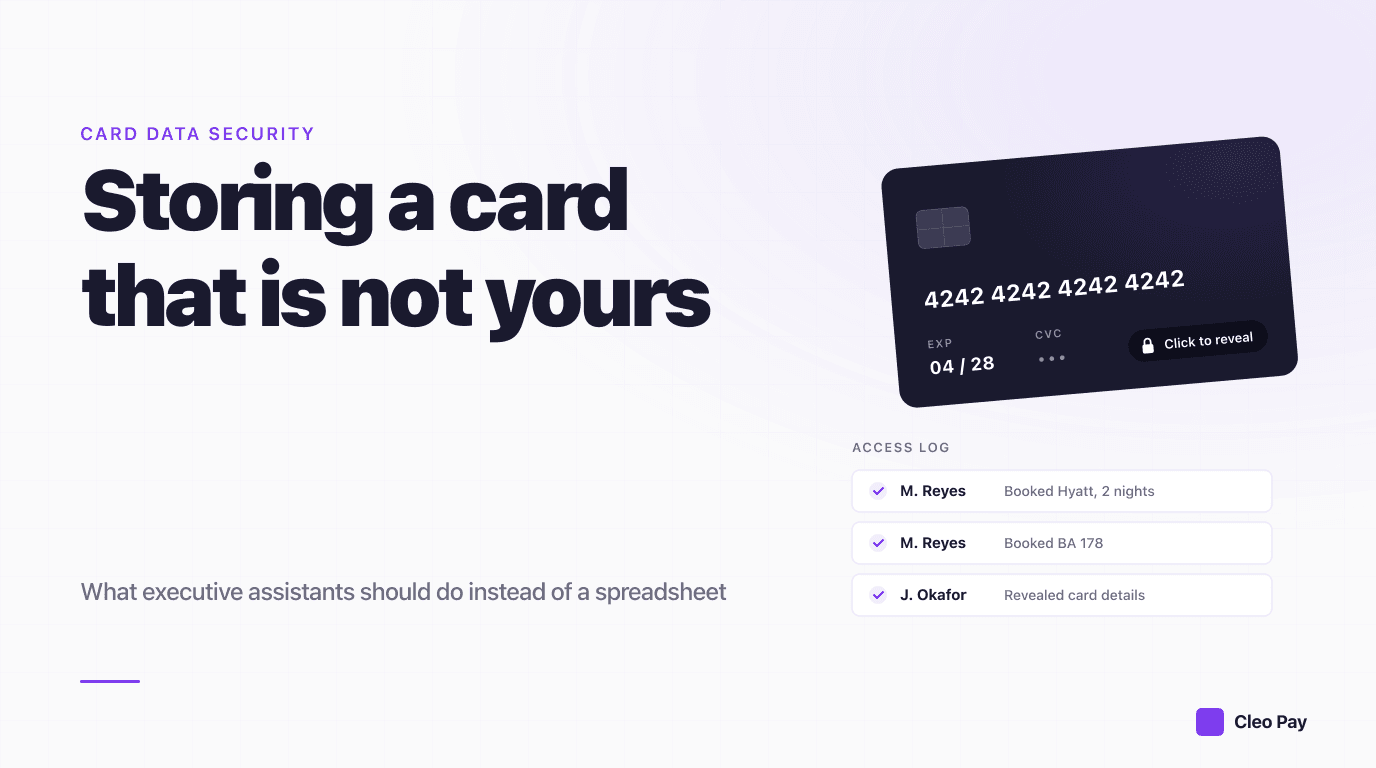
If you book travel, dinners, and events on behalf of an executive or a client, you are holding a credit card that is not yours. That is an uncomfortable place to sit. You need the number often enough that retrieving it has to be fast, and you need it protected well enough that a laptop left on a train is not a company-wide incident.
Most executive assistants solve this with whatever was available on the day the problem first came up: a note in a phone, a line in a shared spreadsheet, a forwarded email, a password manager entry. Those are all understandable, and every one of them creates a copy of a card number that you are now responsible for.
This guide covers what the rules actually require, why the common methods fail, and the three storage approaches that hold up.
Start here: you are probably in scope
There is a widespread assumption that PCI DSS is a merchant problem, something the finance team or the payment processor handles. It applies to any organization that stores, processes, or transmits cardholder data. If your company keeps a client's card number so an assistant can book a flight next month, your company is storing cardholder data.
That does not automatically mean audits and penalties. What it means is that the way you store the number determines how much of the standard you have to satisfy. This is the single most useful idea in the whole topic:
The goal is not to store card data more securely. The goal is to not store it at all.
Every method below is really a way of answering one question: who is holding the raw number, and can it be you instead of a system built for it? When a specialist system holds the card and hands you a token, your obligations shrink dramatically, because there is no card number in your environment to protect. Confirm the specifics with whoever owns compliance at your company, since scope depends on how payments actually flow.
Why the four common methods fail
Email and messaging
Clients send card details by email because it is the path of least resistance, and assistants keep those emails because deleting them means asking again. The problem is not that email is unencrypted in transit, most of it is fine there. The problem is retention and copies. That card number is now in the sender's sent folder, your inbox, both mail servers, any backup, and any device where mail is cached. You cannot revoke it, and you cannot say with confidence where all the copies are.
If a client emails you a card, the correct response is to use it, delete the message, empty the deleted items folder, and ask them to use a secure link next time.
Shared spreadsheets and documents
A spreadsheet is the most common EA solution and the most dangerous. It concentrates every client's card in one file, gives you no record of who opened it, and travels invisibly: downloaded to a laptop, attached to an email, synced to a personal device, inherited by whoever gets the folder when you change roles. A single spreadsheet turns one lost laptop into a disclosure affecting every client on the tab.
Notes apps and phone photos
A photo of the front and back of a card is the worst case, because it captures the CVV and usually syncs to a consumer cloud account tied to a personal Apple or Google login. Generic note apps have the same problem: no access log, no revocation, and often no meaningful encryption at rest.
Password managers
This one deserves more care than it usually gets, because password managers are genuinely good software and the advice to use one is not wrong. They are a real improvement over a spreadsheet: encrypted at rest, access controlled, shareable through a vault rather than by forwarding.
But they are built to store a secret and give it back to a human to read. That is the whole point of a password manager, and it is exactly what you do not want for card data. Three consequences follow:
- A person still sees the full number. Every booking means someone reads the PAN off a screen and types it somewhere. The exposure is the same as a spreadsheet, just better protected while at rest.
- There is no per-transaction record. You can usually see that a vault item was accessed. You cannot tie that access to "booked the Tuesday flight for the London trip," which is what you need when a charge is disputed.
- Storing card data there generally keeps you in scope. You are still storing the PAN yourself, so the storage obligations still land on you.
A password manager is a reasonable stopgap and a poor destination. If it is what you have today, it is better than the alternatives above, and it is not where this should end.
What good actually looks like
Whatever tool you land on, these are the properties that matter. They are worth using as an evaluation checklist when someone tries to sell you a solution.
The audit log line is the one most people skip and later wish they had. When a client questions a charge from four months ago, "our system shows Maria accessed this card on March 14 at 2:15pm to book the Hyatt" ends the conversation. A spreadsheet cannot produce that sentence.
The three approaches that hold up
1. A tokenizing card vault
The client submits their card once through a secure link. The vault encrypts and tokenizes it immediately, and your team works with the token rather than the number. The card is masked everywhere it appears in your workspace, so the raw number is not sitting on anyone's screen during normal work.
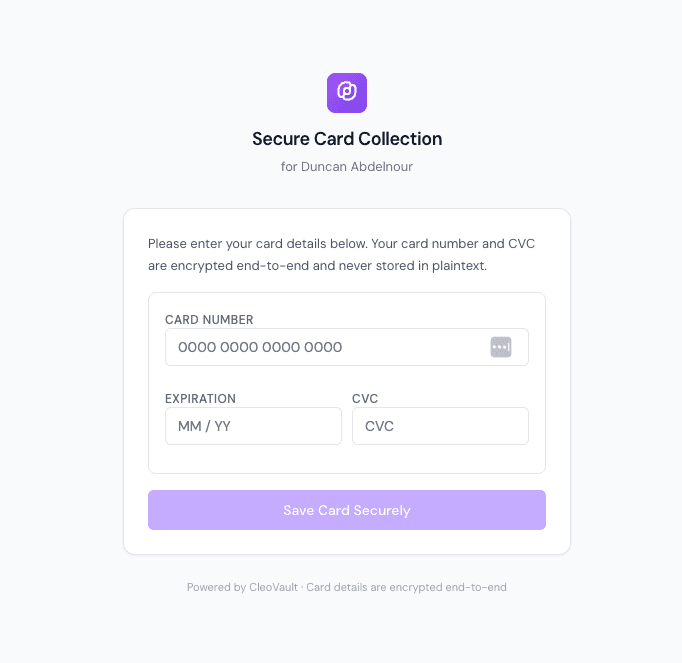
The important detail is who does the typing. The client enters their own card into the form above, which means the number never travels through your inbox, never gets read aloud over the phone, and never lands in a document you then have to protect.
This is the strongest general answer for assistants who book repeatedly for the same people, because the card stays usable indefinitely without anyone holding it.
2. Single-use virtual cards
Instead of storing a card, you generate a virtual card number for each booking, often locked to one merchant and one amount. If it leaks, it is worthless. This is excellent for one-off bookings and for controlling spend, and it works best when the underlying card program supports it. It is a weaker fit when a hotel requires the physical card at check-in or when a client's own card must be the payment method.
3. Push the storage to the merchant
For a hotel or airline your executive uses constantly, let the merchant hold the card on file under the traveler's own profile. The card data sits with an organization whose core business is processing payments, and you book against the profile. The tradeoff is that you now depend on that merchant's security and you have a card on file in many places, so this works best for a short list of trusted, frequently used vendors rather than as a general strategy.
The handover problem nobody plans for
Assistants change roles, go on leave, and move companies. Card access is almost never part of the offboarding checklist, which is how organizations end up with former employees holding spreadsheets and password manager exports.
Build the answer in before you need it. Whatever system you choose should let an administrator cut one person's access without rotating every client's card, and should show you afterward what that person accessed while they had it. If your current method is a shared file, the honest answer is that you cannot do either, and every departure is a quiet unresolved risk.
Where Cleo Pay Vault fits
Cleo Pay Vault is the client card workspace we built for travel agencies, which is the group with the most extreme version of this problem: dozens of clients, cards used for months, and staff who must book without ever handling a number.
The flow is the one described above. You send the client a request link and they enter their own card. Cards stay masked in the workspace, so day to day your team is working with a reference rather than a number.
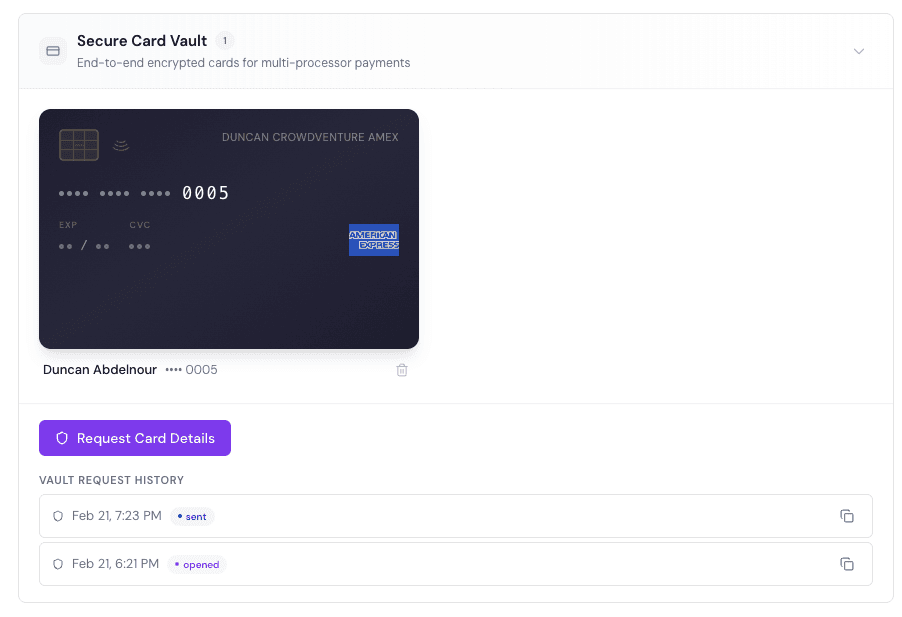
When someone genuinely does need the full number, a hotel that will only take it over the phone, revealing it is a deliberate action rather than a side effect of opening a file, and it lands in the request history you can see above. That is the part a spreadsheet cannot replicate: not that nobody ever sees a card, but that you know exactly who saw which card and when.
To be straightforward about availability: Vault is switched on by default for travel agencies, and it is not currently a self-serve signup for a corporate assistant team. If the workflow in this article is yours, the travel agency Vault page shows how it works in detail, and a short demo is the way to find out whether it fits your setup.