
Most software built for live music is built for the top of the funnel. Holds, offers, contracts, advancing, on-sales, box office. By the time the house lights come up, the tools that ran the show hand you a settlement sheet and stop. Everything after that, actually moving money to the artist, the production crew, the sound company, the barback staffing agency, and the merch runner, and then getting all of it coded to the right show, is somebody's Monday morning.
That gap is why venues and promoters end up buying bill pay software separately from booking software, and why the buying decision is harder than it looks. The generic accounts payable market is built around a business that pays the same vendors every month. A 900-capacity room pays a different roster every night, half of them individuals rather than companies, several of them expecting to be paid before the bus leaves.
This guide covers the criteria that actually matter for venue and promoter payables, the four categories of tool you will end up comparing, what the payment rails cost, and the tax problem that shows up every January. It is written for the person who owns the money side of the building, not for the talent buyer.
Why venue and promoter AP is its own problem
A restaurant's payables are a subscription. Forty vendors, predictable cadence, stable chart of accounts. A venue's payables are a series of one-night projects, each with its own cost stack, and the cost stack is what determines whether the night made money.
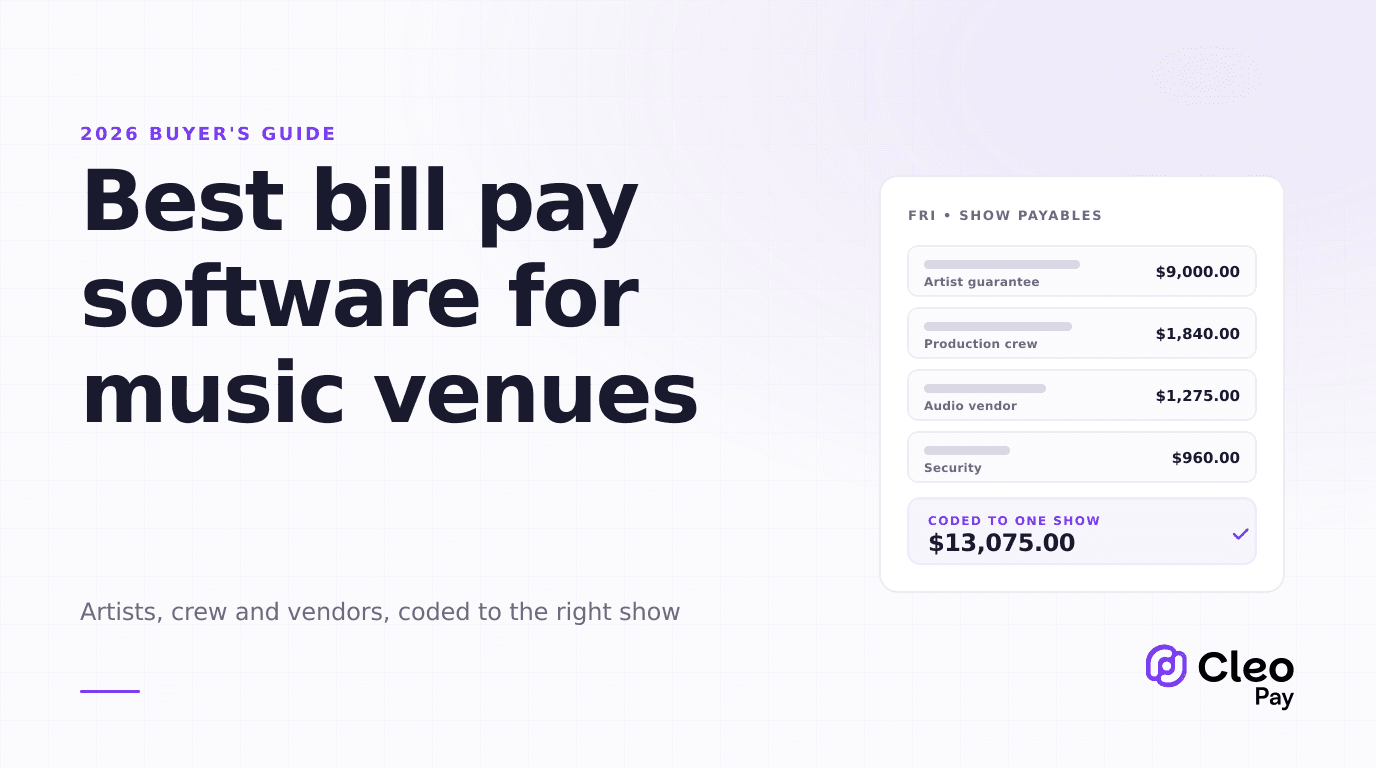
Here is what a single Friday actually produces on the payables side: an artist guarantee plus a backend split settled at the end of the night, a support act paid a flat fee, four stagehands and two spot operators paid as individuals, an audio vendor invoicing for a supplemental PA package, a security contractor billing hourly with an overtime line, a staffing agency invoicing for six bar staff, a backline rental invoice, a hospitality rider reimbursement someone put on a personal card, and a merch settlement that moves money the other direction.
Nine or ten payables, six or seven different payee types, one show. Multiply that by four shows a week and the problem is not invoice volume in the abstract. It is that every payable has to carry a show identifier through to the ledger, or you never get a real show P&L, and half the payees are people who have never filled out a vendor form in their lives.
The hard part of venue payables is not paying people. It is knowing, on Tuesday, what Friday actually cost.
The specific ways generic AP tools break in a venue:
- No concept of a show. Most AP tools code to a GL account and maybe a location or department. If there is no job, project, or class dimension that survives the sync to your ledger, show-level P&L stays a spreadsheet exercise.
- Payee onboarding is built for companies. A tool that assumes every payee is a business with an EIN and a net-30 relationship will fight you on the touring lighting director who needs a W-9 collected and a payment sent within 48 hours.
- Seat-based pricing punishes approvers. Venues route approvals through people who are not in accounting: the GM, the production manager, the talent buyer. Under per-user pricing, each of them is a line item.
- Settlement math lives elsewhere. Booking and settlement platforms calculate what is owed. AP tools move money. Very few products do both, and the handoff between them is usually a PDF.
- Rail coverage is thin. A venue needs same-day capability for the occasional artist who will not leave without being paid, ordinary ACH for everything routine, and a check for the one vendor who still insists.
The eight criteria that actually matter
If you are building a comparison grid, score these and ignore most of the rest. Optical invoice capture is broadly competent across the market in 2026 and it is what every demo is designed to showcase. It is not where your week goes.
1. Show-level or job-level cost coding
Can a payable be tagged to a specific show, and does that tag survive into your accounting system as something you can report on? Ask to see the synced transaction in the ledger during the demo, not a report inside the AP tool. If the answer involves exporting a CSV and pivoting it, you have not solved anything.
2. Individual payee onboarding speed
Time it. How long does it take to add a person who is not in your system, collect their tax identity, capture bank details, and pay them? If it takes 20 minutes per payee, your production manager will route around the system and pay people off a debit card, and you will spend January reconstructing it.
3. Tax identity capture before payment, not after
The tool should refuse to send money to a payee with no W-9 on file, or at minimum flag it loudly. Collecting tax information after you have already paid someone is the single most expensive habit in venue accounting, because your leverage is gone. Our W-9 collection guide covers the sequencing in more detail.
4. Who counts as a billable seat
Get this in writing before you price anything. Ask specifically: does an approver who never codes an invoice consume a seat? Does a read-only user? Does the production manager who only uploads invoices? Venues have a wide approver surface relative to their accounting headcount, and this single answer can double or halve the quoted cost.
5. Rail coverage and per-payment fees
You need the fee schedule for every rail you actually use, not the headline subscription price. Same-day capability matters more here than in most industries, and it is usually the most expensive rail on the sheet.
6. Approval routing that works from a loading dock
Approvals happen on a phone, at 11pm, by someone who is not going to log into a desktop application. Test mobile approval during the demo. Test what happens when the approver is unreachable and the payment is time-sensitive.
7. Year-end filing, performed or merely reported
There is a large difference between a tool that produces a 1099 report and a tool that files your 1099s. Ask which one it is, in those words. Many vendors answer the second question with an answer to the first.
8. What you keep if you leave
Invoice images, approval audit trail, payee tax records. Ask what format they come out in and how long you have to retrieve them. This is a boring question that becomes urgent exactly once.
The four categories of tools
Almost every shortlist collapses into these four. Each is a reasonable answer for a different building.
Booking and settlement platforms. Prism.fm, Gigwell, and similar products run the booking workflow end to end: holds, offers, contracts, advancing, and settlement calculation, with reporting built around shows. This is the category that understands your business best. Pricing for these platforms is not published, so you will need to get quotes directly. What they generally are not is a full payables system: they tell you what is owed and to whom, and the actual disbursement, vendor invoices unrelated to a show, and year-end filing usually live somewhere else.
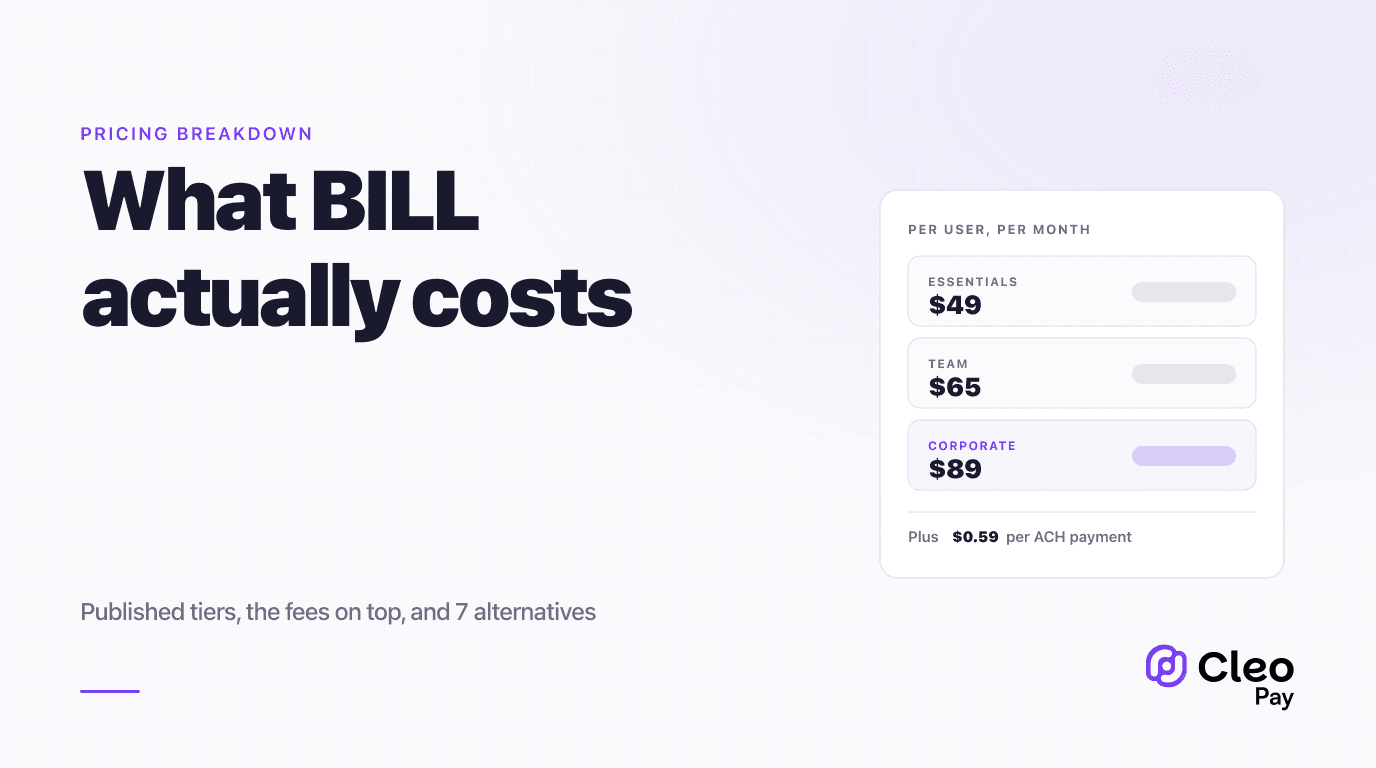
Generic AP automation. BILL is the reference product here, along with Melio and similar tools. Deep AP workflow, broad accounting integrations, mature approval engines. The tradeoff is that nothing in the data model knows what a show is, and the pricing model is per user. BILL publishes Essentials at $49, Team at $65, and Corporate at $89 per user per month, with an Enterprise tier priced on request, and per-payment fees on top. We break the full cost structure down in our BILL pricing analysis.
Accounting-native bill pay. The bill pay module inside QuickBooks or your existing accounting platform. Cheapest path, no integration risk, and for a single room doing two shows a week it is often genuinely sufficient. It tends to run out of room on approval routing, on paying individuals at speed, and on anything resembling a project dimension.
Hospitality and event AP platforms. Tools built for operators who pay a rotating roster of vendors and contractors against jobs rather than months. Cleo Pay sits here, as do the tools we compare in our catering and event company guide. The fit is better on payee onboarding and job coding; the category is younger, so you should press harder on integration depth and on references from rooms your size.
What each payment rail actually costs
Rail fees are where venue payables quietly get expensive, because the urgent payment is the common case rather than the exception. The figures below are BILL's published 2026 fees, used here because they are public and widely used as a market reference.
- Speed
- 2 to 3 business days
- Cost
- $0.59 per payment
- Best for
- Routine vendor invoices with normal terms
- Speed
- Same business day
- Cost
- $11.99 per payment
- Best for
- Time-sensitive payouts you could not batch
- Speed
- 5 to 10 business days
- Cost
- $1.99 per payment
- Best for
- The holdout vendor who will not go electronic
- Speed
- Immediate
- Cost
- About 2.9 percent
- Best for
- Rarely the right rail for a payable of any size
The practical lesson is not that same-day ACH is expensive in isolation. It is that a room paying eight same-day rather than batching them is spending roughly $96 a week on rail fees alone, which over a year is meaningful against any subscription you are evaluating. The fix is almost never a cheaper rail. It is getting payee details and approvals collected earlier in the week so that ordinary ACH clears in time.
The 1099 problem venues walk into every January
Venues pay individuals. Stagehands, spot ops, local crew, deck hands, door staff hired for a night, an independent sound engineer, a photographer, sometimes the artist themselves when they are not incorporated. That makes information reporting a bigger part of venue accounting than it is for almost any comparable business.
Two things changed for payments made in 2026. The Form 1099-NEC reporting threshold rose from $600 to $2,000 under Section 70433 of the One Big Beautiful Bill Act (P.L. 119-21), effective for payments made after December 31, 2025, and indexed for inflation from 2027. Backup withholding obligations track the same threshold, and the backup withholding rate remains 24% when a payee fails to furnish a valid taxpayer identification number.
For a venue, the higher threshold is real relief on volume. A great many crew payments are a few hundred dollars for a single night, and those now fall below the line. We covered the change in detail in our 1099 threshold guide.
One more detail that catches small rooms: the IRS mandatory electronic filing threshold is 10 information returns, and it aggregates across form types rather than applying separately to each. A venue filing a handful of 1099-NECs alongside its W-2s is over that line. Confirm whether your AP tool performs the e-filing or simply hands you a report.
Which category fits your room
Red flags in a demo
- The vendor codes their own sample invoice instead of one of yours. Bring three real ones, including a production invoice that splits across two shows.
- "Show" or "job" tracking is described as a custom field without being demonstrated syncing into your ledger.
- Nobody will say plainly whether approvers are billable seats.
- The answer on 1099s is a report you export, described with the word "compliance."
- Same-day payment is shown as a feature but the per-payment fee is not on screen.
- Mobile approval is a roadmap item, or the demo happens only on desktop.
- The integration with your accounting platform is a partner referral rather than a product.
Run the evaluation
Where Cleo Pay fits
Cleo Pay is an accounts payable platform for hospitality operators, and venues and event production companies are a core part of that. Payees, including artists, crew, contractors and vendors, are invited to submit their own payment and tax details through a portal, so W-9 capture happens before the first payment rather than during January. Invoices route through approval, payments go out by ACH, and payee tax records accumulate as a byproduct of paying people rather than as a separate year-end project.
Pricing is published and volume-based rather than per-seat: a free tier for vendors and contractors getting paid, Basic at $99 per month, and Pro at $299 per month with 100 payments, 1099 filing, and dedicated support. For a room with a wide approver group, that pricing model is usually the material difference against per-user tools, which is worth modelling on your own numbers rather than taking on faith.
Cleo Pay is not a booking or settlement platform. It does not calculate an artist settlement or manage holds and offers. If that is your bottleneck, buy the settlement tool first and treat payables as the layer underneath it.
If you want the operational side of this rather than the buying side, our guide on closing an event P&L faster covers the workflow, and the event production and venue pages walk through how this works day to day. If you are building a room from scratch, opening a venue is the better starting point.
FAQ
The bottom line
Venues sit in a gap the software market has not closed. The tools that understand a show do not really move money, and the tools that move money have never heard of a show. Until that changes, most rooms are buying two things, and the quality of the decision comes down to being honest about which of the two is actually costing you time right now.
If settlement math is the bottleneck, buy the settlement platform and accept that payables stays a second purchase. If the bottleneck is paying a rotating roster of individuals quickly and cleanly, buy the payables layer first and weight payee onboarding, W-9 capture before payment, approver seat pricing, and whether the vendor performs your year-end filing above everything else on the grid.
And whichever way you go, do the rail arithmetic on last quarter's real payment register before you compare subscription tiers. For a venue, that number is usually larger than the difference between the products you are choosing between.
Want to see it against your own shows? Book a 20-minute walkthrough and bring the payables from your messiest week. We will onboard a real payee, route an invoice through your actual approval chain, and show you where the time goes.